> For the complete documentation index, see [llms.txt](https://docs.flylogs.com/fcom/llms.txt). Markdown versions of documentation pages are available by appending `.md` to page URLs; this page is available as [Markdown](https://docs.flylogs.com/fcom/company-management/company-settings/schedule.md).

# Schedule

The Schedule tab shapes how your flight schedule works: who can manage it, who can see it, when self-bookings are allowed and how cancellations are handled.

{% hint style="info" %}
This tab requires a **Premium** or **Unlimited** plan. On Free and Club plans the settings are hidden.
{% endhint %}

### Permissions

* **FI schedule management** — allows Flight Instructors to manage the schedule and book flights for other pilots, the same way scheduling staff does. When disabled, instructors can only handle their own bookings; the schedule editor is limited to staff roles.
* **All pilots see schedule** — when enabled, captains, pilots and students can see the schedule slots of **all** aircraft and bases. When disabled, each pilot only sees slots for the aircraft and bases they are assigned to, and the master schedule views are reserved for staff and instructors.

### Calendar appearance

* **Calendar slot color** — chooses what the slot colors in the schedule editor represent:
  * **Pilot color** — each pilot's personal color (default).
  * **Flight status color** — booking status (booked, confirmed, dispatched…).
  * **Flight type color** — the color assigned to each flight type.

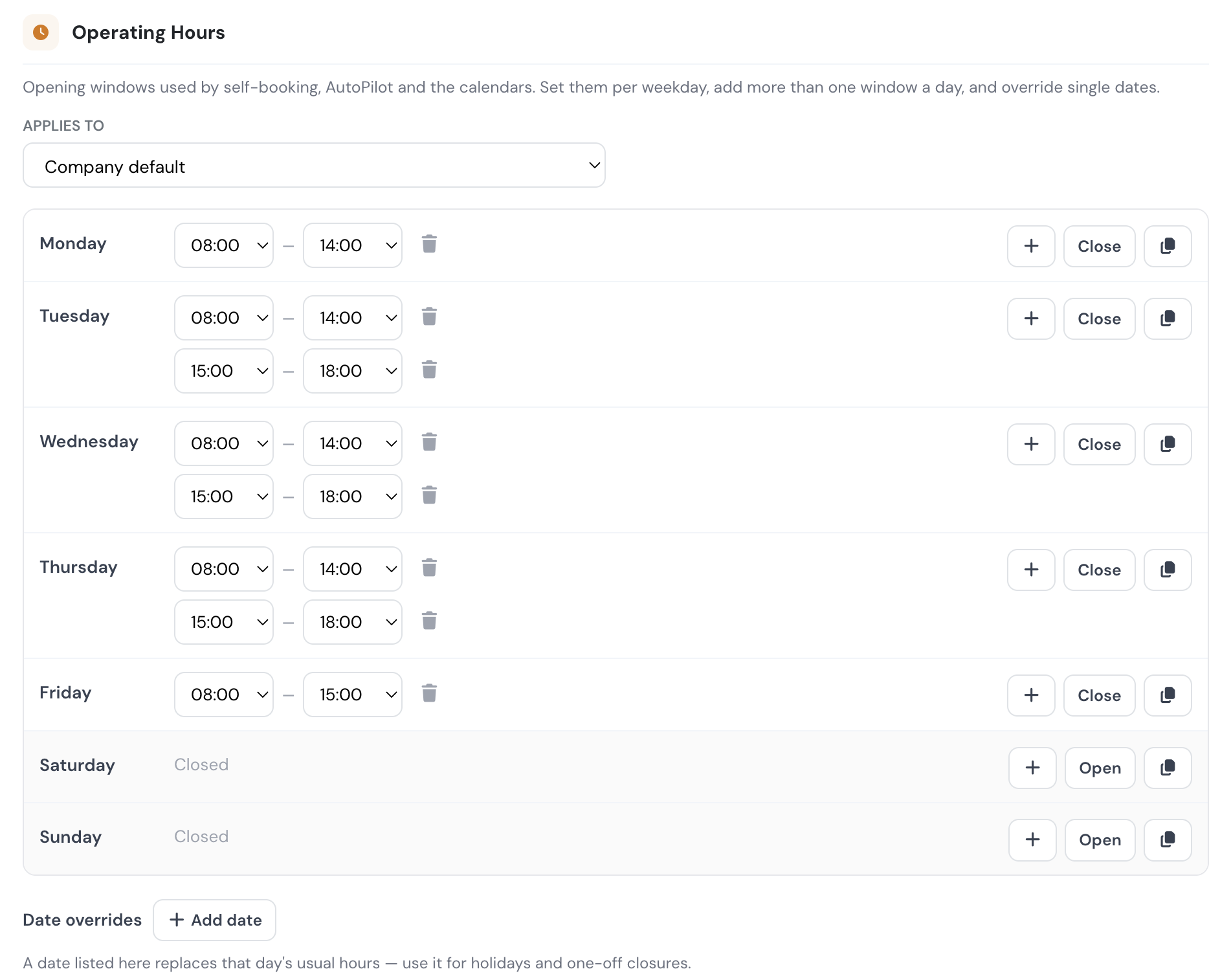
### Operating hours

* **Start hour / End hour** — the daily window in which self-service bookings can be placed. When a pilot searches for available slots on a date, Flylogs only offers slots between these hours. Set them to match your field's opening hours or daylight operations.

### Self scheduling

These limits apply to the [pilot self-scheduling feature](/fcom/schedules/self-scheduling.md). Remember that self-scheduling must also be enabled per aircraft.

* **Max slots per day** — the maximum number of self-service reservations a pilot may hold on a single day. The server rejects any booking above the limit.
* **Min / Max slot duration** — the shortest and longest slot a pilot can self-book.
* **Default duration** — the slot length pre-filled when a pilot opens the booking form.
* **Block pilots without credit** — when your [billing system](/fcom/company-management/company-settings/billing.md) is active, pilots whose account credit is zero or negative cannot self-book flights. They see an "insufficient balance" warning instead of the booking form.
* **Allow self-booking without valid documents** — controls whether pilots with missing or expired documents can use self-booking:
  * **Off (default, stricter)** — the self-booking widget is hidden from any pilot who does not hold a valid **licence**, **rating** and **medical**. The pilot must update their documents before the widget reappears.
  * **On (permissive)** — the widget is shown regardless of document status. Use this only if you check documents outside Flylogs or are still onboarding pilots.

{% hint style="info" %}
**Students are exempt from the document gate.** A student never acts as PIC — Flylogs automatically assigns a Flight Instructor, or stores the booking as PENDING until one is available — so the student's own licence, rating and medical are not required to book.
{% endhint %}

### Schedule cancellations

* **Dispatch cancel limit** — how close to the scheduled start time a crew member may still cancel or edit their own booking. Inside the window, pilots and SICs get an error telling them to contact the PIC or a supervisor directly. Options range from *Any time* to 48 hours; *Disabled* prevents crew self-cancellation entirely.

This same window also drives two automatic behaviors:

* **PENDING student bookings** (self-bookings without an assigned instructor) are automatically cancelled when the window closes without an instructor being assigned. The slot frees up and pilots on the watchlist are notified.
* Reminders and confirmation deadlines around dispatch use the same cut-off.

See [Schedule cancellations](/fcom/schedules/schedule-cancellations.md) for the pilot-facing behavior.
