

Send a report to the authority (ECCAIRS / E5X)
Aviation authorities in Europe collect occurrence reports in ECCAIRS, the European Co-ordination Centre for Accident and Incident Reporting Systems. Flylogs can turn any submitted safety report into an E5X file (ECCAIRS Aviation 5.1.0.0) that you email to your authority or upload to the ECCAIRS portal, with no re-typing.
Under Regulation (EU) No 376/2014 a mandatory occurrence must be notified to the authority within 72 hours of becoming aware of it. In Spain, send the file to AESA: sucesos.aesa@seguridadaerea.es.
Who can export
Section titled “Who can export”- Managers (Compliance & Safety Manager and above,
user_group_idbelow 111). - The assigned reviewer of that report, whatever their role.
- Auditors never: the Auditor role is read-only everywhere, so they cannot export or fill in the ECCAIRS section.
Everyone else (reporters, pilots, instructors) does not see the section or the button. Exporting is available on every plan. Drafts and deleted reports cannot be exported: submit the report first.
1. Complete the “Authority reporting (ECCAIRS)” section
Section titled “1. Complete the “Authority reporting (ECCAIRS)” section”Open the report and choose Edit. People who may export see an extra card, Authority reporting (ECCAIRS), with the information ECCAIRS needs that a normal report does not capture.
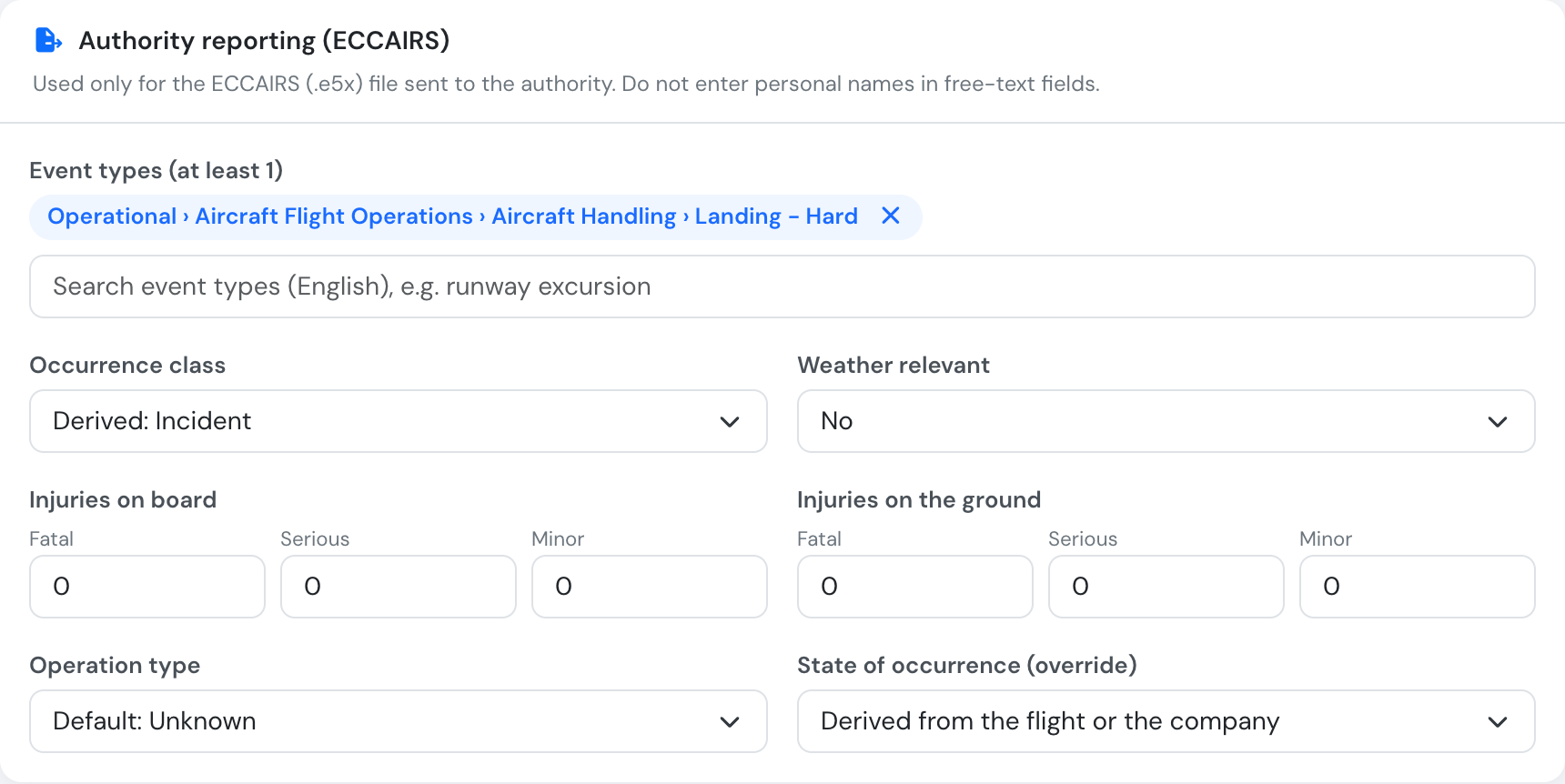
| Field | What to enter |
|---|---|
| Event types (at least 1) | Search the ECCAIRS event-type list (English) and add one or more, e.g. “runway excursion”. Required. |
| Occurrence class | Optional. If left empty it is derived from the report severity (shown as “Derived: Incident”). |
| Weather relevant | Yes, No or Unknown. Required. |
| Injuries on board / on the ground | Fatal, serious and minor counts. Required: enter 0 when nobody was hurt. |
| Operation type | Optional. If empty, the flight type mapping is used, otherwise “Unknown”. |
| State of occurrence (override) | Optional. By default it is derived from the flight’s airports or your company’s country. |
The date, time, location, flight phase and description come from the report itself.
- Date and time: the event date and time on the report are local time in your company timezone (as typed on the form). The file carries the local date plus the date and time converted to UTC, as ECCAIRS requires.
- Aircraft: the aircraft selected on the report itself (not the one of a linked flight). From it the file takes the registration, serial number, manufacturer and model, and derives the aircraft category, propulsion type and mass group from the aircraft model (its ICAO type) and its maximum take-off mass. No engine count is exported.
- Flight: when the report is linked to a flight, the flight adds the call sign and the departure and destination aerodromes.
2. Download the E5X
Section titled “2. Download the E5X”On the report page, click Download E5X (ECCAIRS) next to Print Pdf.

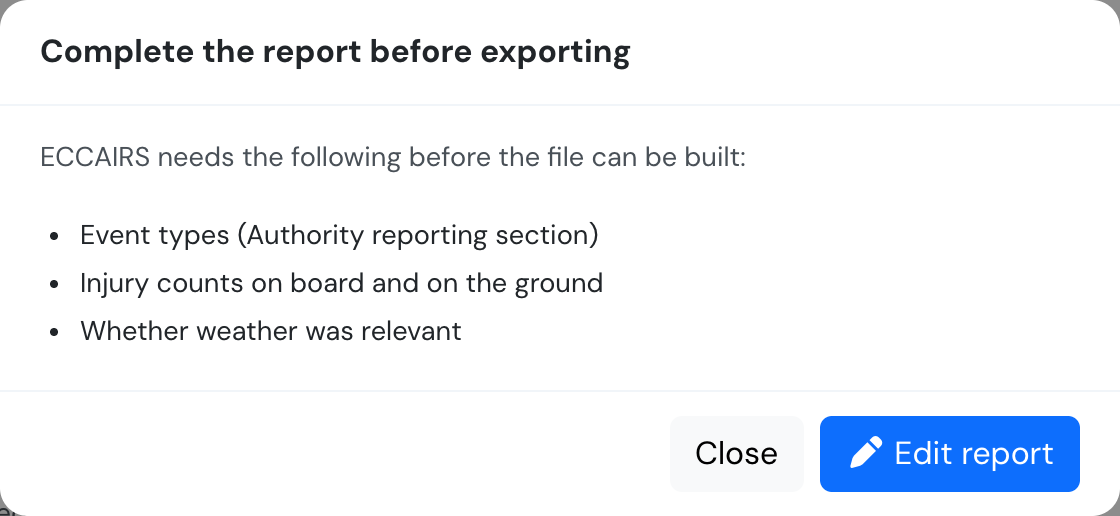
If something required is missing (event types, injury counts, weather, aircraft, location or date), a window lists exactly what to complete, with a shortcut to Edit report. A reviewer who is not a manager is asked to request the changes from a safety manager.
What is inside the file
Section titled “What is inside the file”The .e5x file is a zip archive with:
- the occurrence data as ECCAIRS XML, validated against the official ECCAIRS schema before it is delivered;
- a de-identified PDF of the report (no reporter, crew or other person-name fields);
- every attachment uploaded to the report (photos, documents), referenced from the XML.
An attachment that is missing from storage is left out rather than blocking the export.
Large files
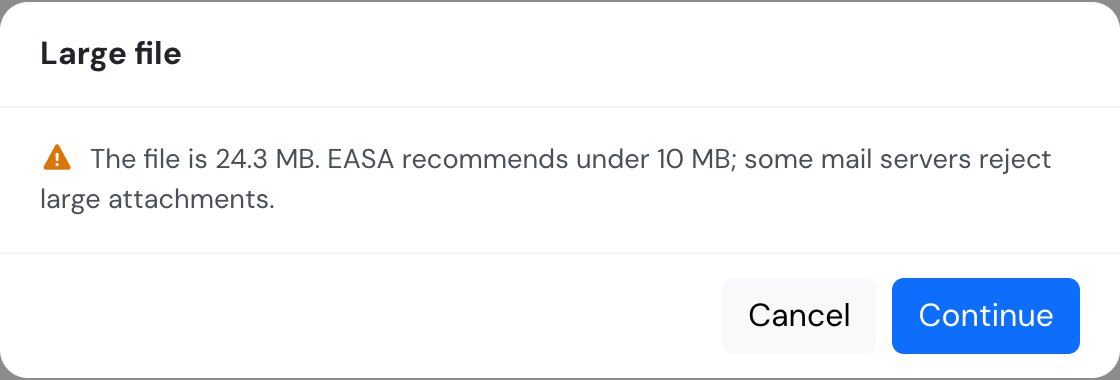
Section titled “Large files”EASA recommends keeping the file under 10 MB, and many mail servers reject larger attachments. If the file is bigger you are warned and can cancel (to remove heavy attachments) or continue.
Send it
Section titled “Send it”When the download completes you get a reminder with the AESA address. Email the .e5x file to your authority, or import it into the ECCAIRS 2 portal. You do not need an .e5f file: that is ECCAIRS’s own storage format, created by the authority when they import your .e5x.

Each export marks the report as reported and is recorded in the report’s change history (“Exported to ECCAIRS (E5X)”). You can export again at any time, for example after correcting the report.
Map your flight types
Section titled “Map your flight types”In Flights → Flight types, edit a flight type and choose its ECCAIRS operation type (e.g. Specialised Operations › Aerial Survey). Every safety report on a flight of that type then uses this value, unless the report’s own Operation type is set. Leave it as None to fall back to “Unknown”. Only managers can edit flight types.
