

New: flight legs
November 2026 · Flights
Skydiving lifts, glider and banner tows, survey runs: some flights are many short sorties. Until now every sortie went into Remarks as free text. Flight legs give each sortie its own row, with the same columns for every operation: start and end (one tap on Now), airborne time worked out for you, altitude in feet or flight level, persons, fuel and notes.
Made for the cockpit
Section titled “Made for the cockpit”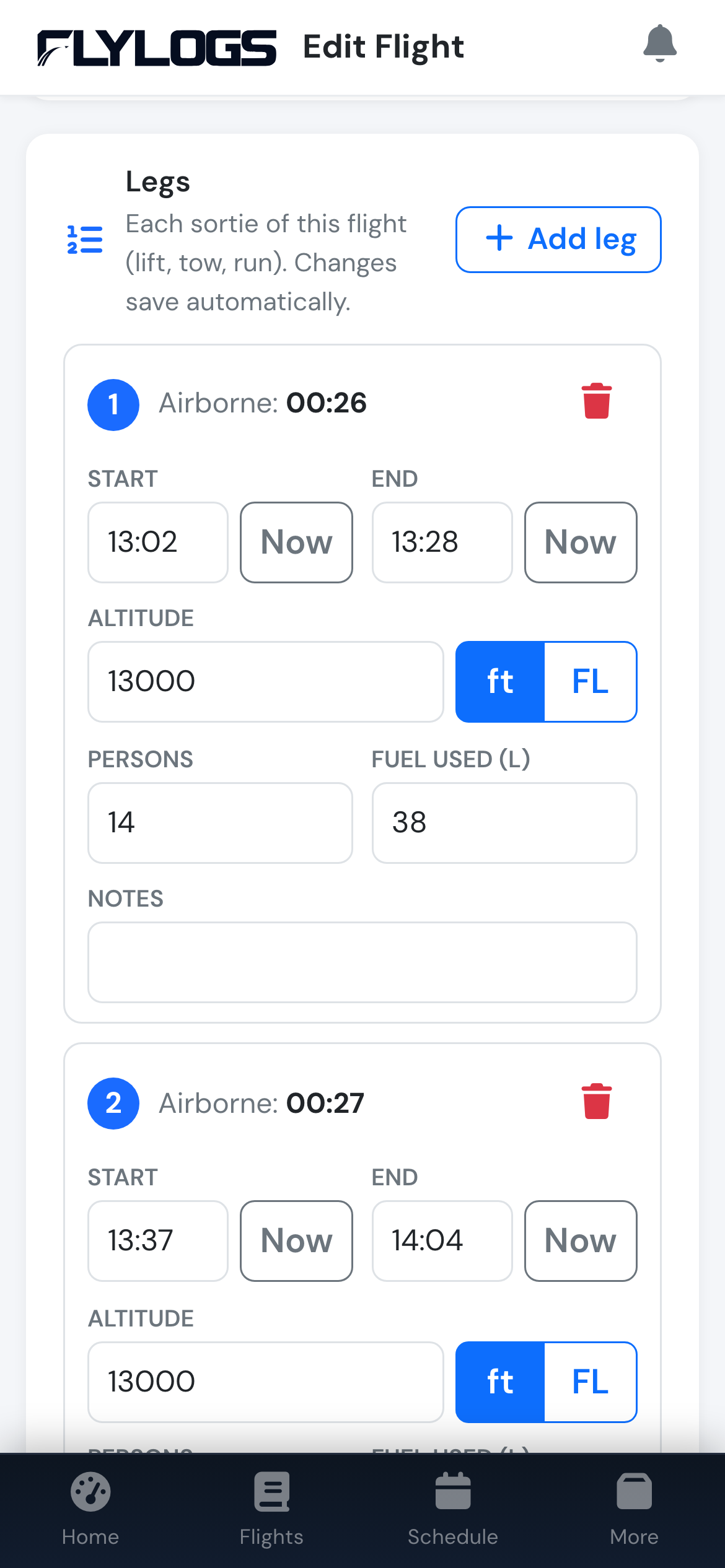
The Legs card on a phone.
- Every change saves on its own, with a short confirmation. No Save button.
- No signal? The leg is saved offline and sent as soon as the device is back online.
- The next leg repeats the last one: altitude, unit and persons are filled in, so a lift usually takes two taps on Now.
- Deleted by mistake? Tap Undo.
- Large buttons and number keypads on iPhone and iPad.
Legs never change the flight’s own block times or landings, and Remarks is still there for anything else. Fuel on legs works as described in Fuel used, worked out from the gauge.
Everywhere the flight goes
Section titled “Everywhere the flight goes”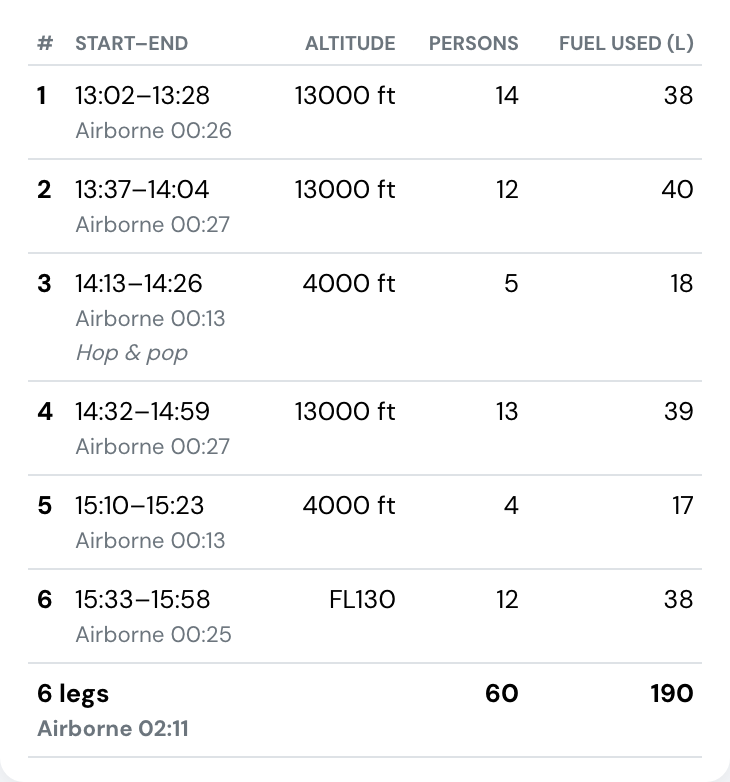
Six lifts of one flight, with totals.
- The flight page shows a Legs table with totals.
- The flight PDF prints the legs before the remarks.
- The logbook export (XLS) adds a Legs sheet and a Legs by day summary: lifts, jumpers and airborne time per day and aircraft.
- On confirmed flights, leg changes appear in the flight’s change history.
Who can use it
Section titled “Who can use it”Flight legs are on every paid plan (Club, Premium, Unlimited) and during the 30-day trial. Whoever can edit a flight can edit its legs.