

Document & Certificate Requirements
We are glad to announce the new Pilot Documentation Control System (PDCS), which can be enabled today in any Flylogs account from the Company Settings page.
The PDCS allows you to have a better control of pilot documentation and expiration dates.
This new function also adds a safety barrier that will prevent pilots with expired or missing license or medical certificates from:
- publishing their flight availability,
- confirming any scheduled flights,
- and logging any flights.
Student pilots will only be required to upload a valid medical certificate in order to publish their schedule and confirm it.
What the general check requires: one valid licence, one valid rating and one valid medical. Pilots normally hold several ratings (type rating, IR, SEP, MEP, FI…), and only one of them needs to be valid for this general check to pass — a lapsed rating you no longer use, or one that only becomes effective in a few weeks, no longer blocks the pilot. Whether a specific rating is required for a given flight is decided by the flight type’s required certificates for each seat, which are checked individually.
The configuration lives in Company Settings → Pilots → Documentation Compliance. Two toggles control the PDCS itself:
- Check pilot documentation validity — the master switch for licence/rating/medical checks. Turned off, all checks below, the pilot dashboard, and self-booking are skipped.
- Block scheduling and flight dispatch with invalid documents — requires the master switch above. When on, managers cannot save a schedule with an expired PIC document, pilots cannot dispatch a flight without valid documents, and crew cannot log or confirm a flight whose PIC lacks the certificates its flight type requires (see Flight form below). This does not affect self-booking, which has its own Allow self-booking without valid documents toggle in the Self-Scheduling tab.
The two other toggles in this same panel are related but separate: Block Pilots that do not meet established Currency (recency of flight experience, not document validity) and Allow pilots to edit their certificates.
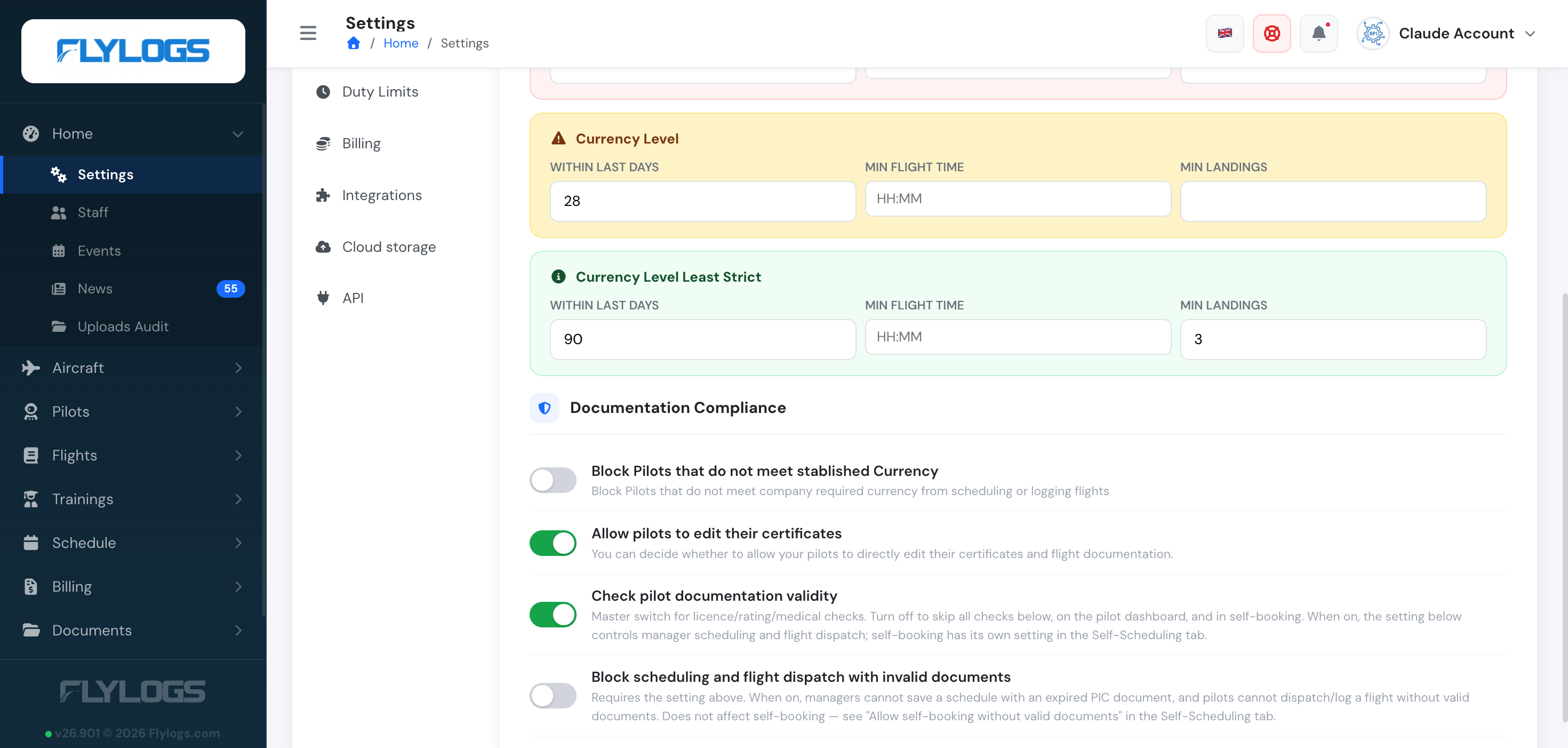
These toggles stop a pilot whose documents are invalid on the date of the flight from dispatching it and, with its own setting, from self-booking it. The crew check a manager sees is different: it runs per flight type, against the certificates you enter on that type (see Per–flight type certificate requirements below). A flight type with no required certificates checks nothing there, so enter them on every type you fly.
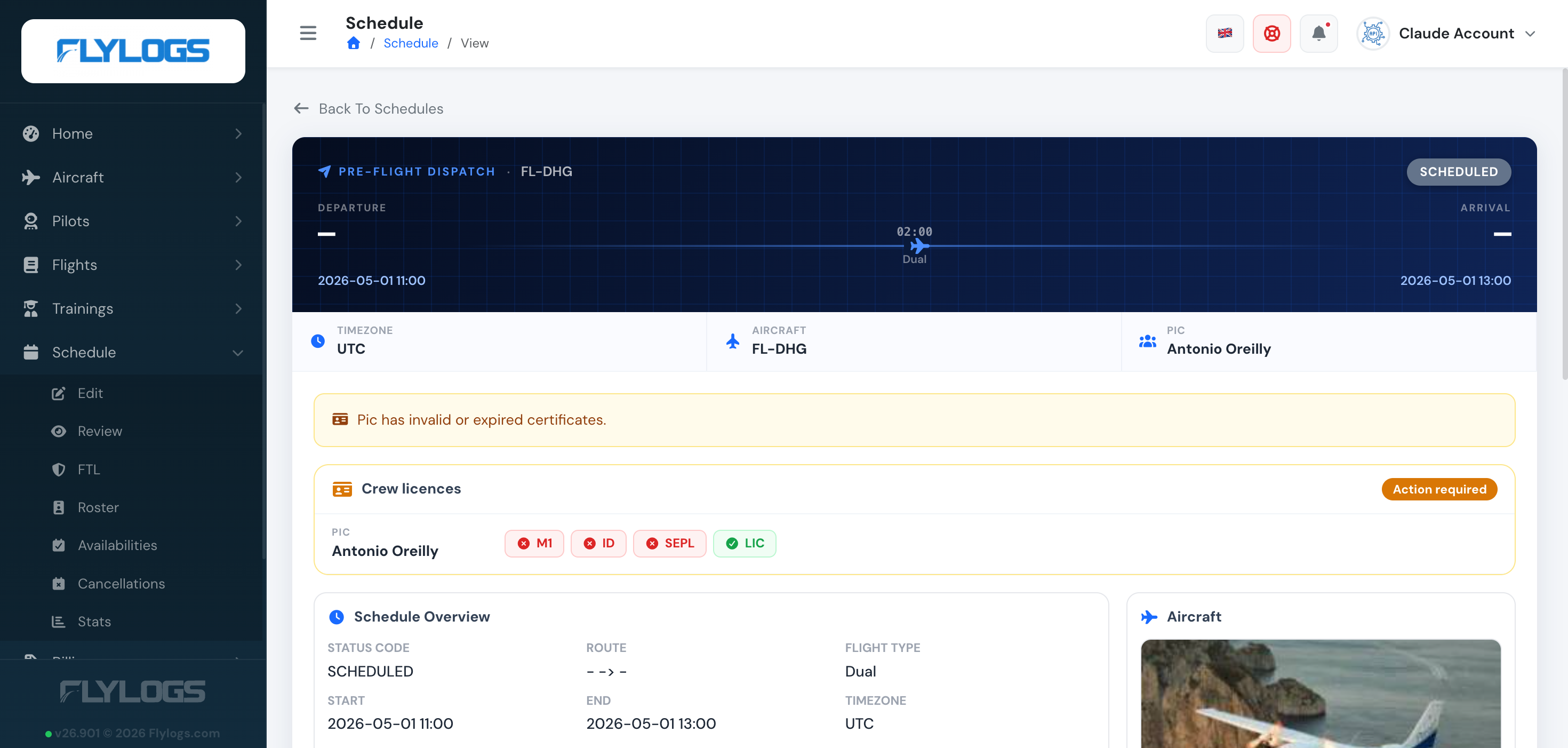
Manager warnings
Section titled “Manager warnings”When managers select a pilot for a schedule or dispatch, Flylogs displays the crew’s status against the certificates required by the flight type for that seat.
If a required certificate is missing or expired, a visual alert lists exactly which, and depending on your company settings, it blocks the PIC from being scheduled. If the flight type requires none, the crew card says No docs required and nothing is checked.
Per–flight type certificate requirements
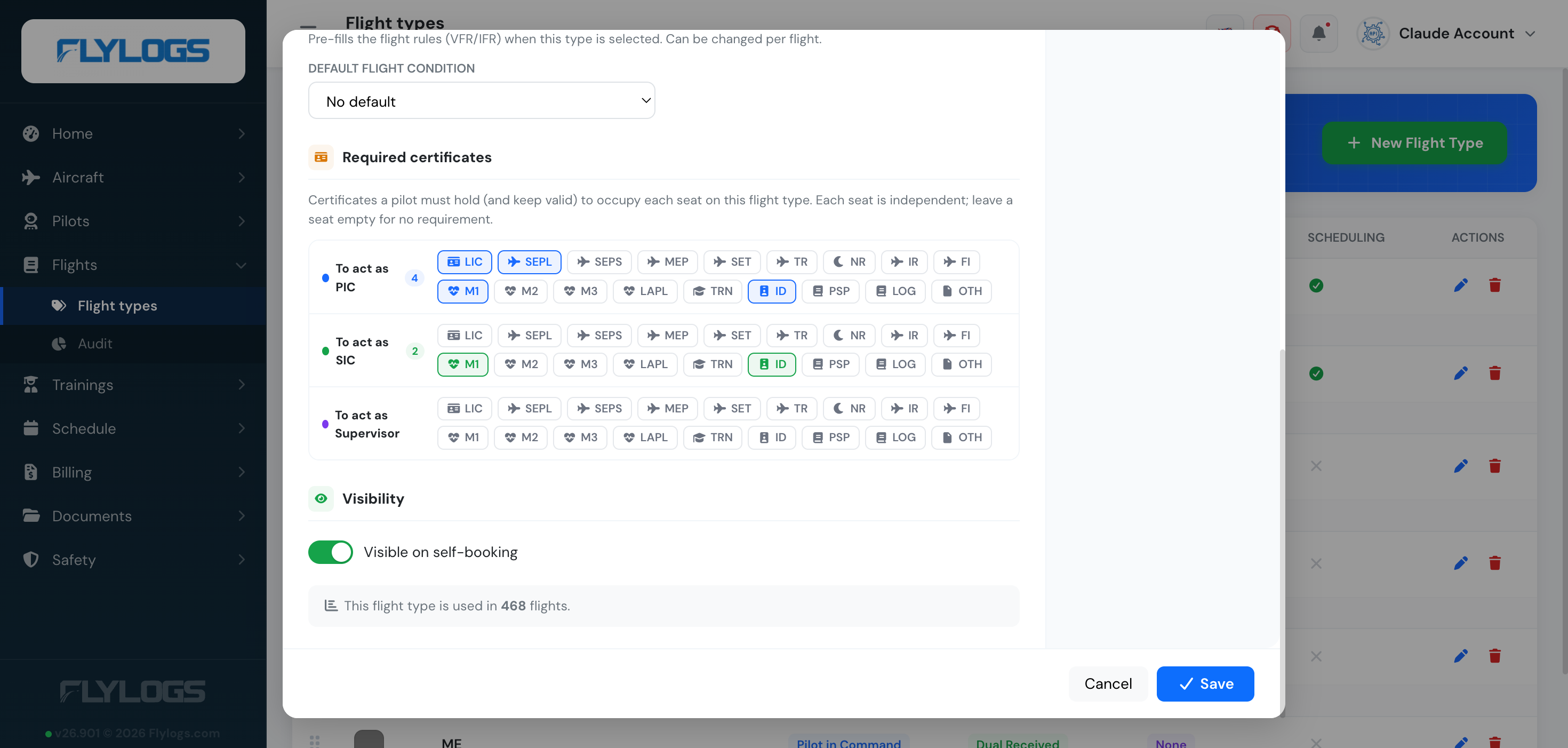
Section titled “Per–flight type certificate requirements”Beyond the company-wide PDCS, you can define — for each flight type — exactly which certificates a crew member must hold to occupy each seat: PIC, SIC and Supervisor. The three seats are independent, and a seat with no requirements imposes none.
For example, on a school’s Dual flight type you might require the instructor acting as PIC to hold a valid licence, Class 1 medical and single-engine rating, while the student sitting as SIC only needs a valid medical.
To configure this, open Flights → Flight types, edit a flight type, and pick the required certificates under each seat in the Required certificates section.
Once configured, Flylogs checks each crew member against their seat’s required certificates for the chosen flight type, evaluating validity at the date and time of the flight, on every screen below — a check for a future flight reflects whether the certificates will still be valid then, and warns if one expires before the flight ends; a flight logged late is judged by what was valid on the day. These checks surface throughout the crew workflow:
-
Schedule editor — when a manager assigns a PIC or SIC, the crew card shows Docs OK or lists exactly which required certificates that person is missing or expired (expired ones are tagged), and blocks the save when your documentation settings require it. If the flight type has no required certificates for that seat, the card shows No docs required instead — nothing is checked until you add requirements to the flight type. A higher medical class also counts (a Class 1 meets a Class 2, Class 3 or LAPL requirement; a Class 2 meets a Class 3 or LAPL one), and when a seat requires more than one medical, any one of them is enough. See How medicals are checked.
-
Dispatch briefing — the crew readiness checklist shows, per seat, each required certificate as ok / missing / expired, plus the soonest expiry.
-
Booking a slot — the booking modal warns when the person flying (or the chosen SIC) doesn’t meet the flight type’s requirements. It stops the booking only when Require pilot documentation is on and Allow self-booking without valid documents is off; otherwise the warning is informational and the pilot can book.
-
Flight form — under each selected PIC/SIC, a badge names any missing required certificate. When Block scheduling and flight dispatch with invalid documents is on, pilots, instructors and students cannot save or confirm a flight whose PIC lacks the flight type’s required PIC certificates: the form names what is missing or expired. Staff roles from Company Administrator to Flight Dispatcher can still record such a flight; Chief Pilots and crew cannot. Flights already confirmed are not affected, and a flight saved in the app while offline is always kept.
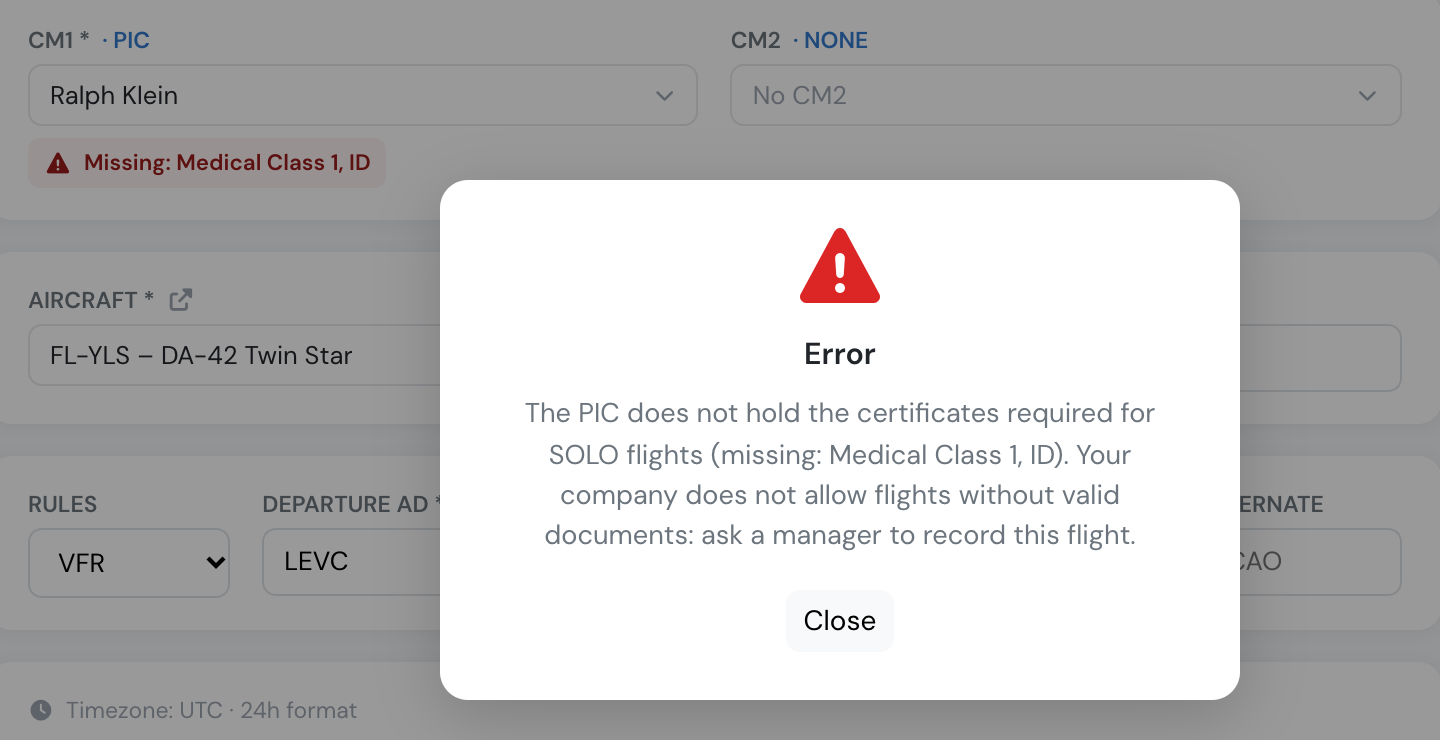
A pilot always sees their own status; instructors, dispatchers and managers can see it for the crew they schedule.
What counts: for a flight type, only the certificates you configured as required for that seat are checked — so keep those lists up to date. A seat with no configured requirements is not checked at all. Companies created before this per-type check have empty lists until someone fills them in; new companies start with a licence and a Class 1 medical on the PIC seat of every starter type. The lists are validated against the same certificate catalog used on the pilot’s documents page, so requirements always match the document types you actually track.