Introduction
At Flylogs we strive to get what our customers really need, specially things to improve their flight data management efficiency.
One of our most used tools to improve efficiency, and also customer engagement, is the Flight Billing System.
Flylogs Flight Billing System, allows you to create bills directly from your existings flights in a single click. Just by clicking a flight from the Flight Billing list, you open the Flight Billing Panel shown below.
The flight price (hourly rate × flight time) is calculated automatically. On top of that you can add any number of itemized extra charges — Fuel, Airport fees, Ground handling, Catering, Permits & slots, Crew, De-icing or Other — each with its own description and amount, and each independently taxable per your company’s VAT settings. Create the bill instantly: it only takes 30 seconds.
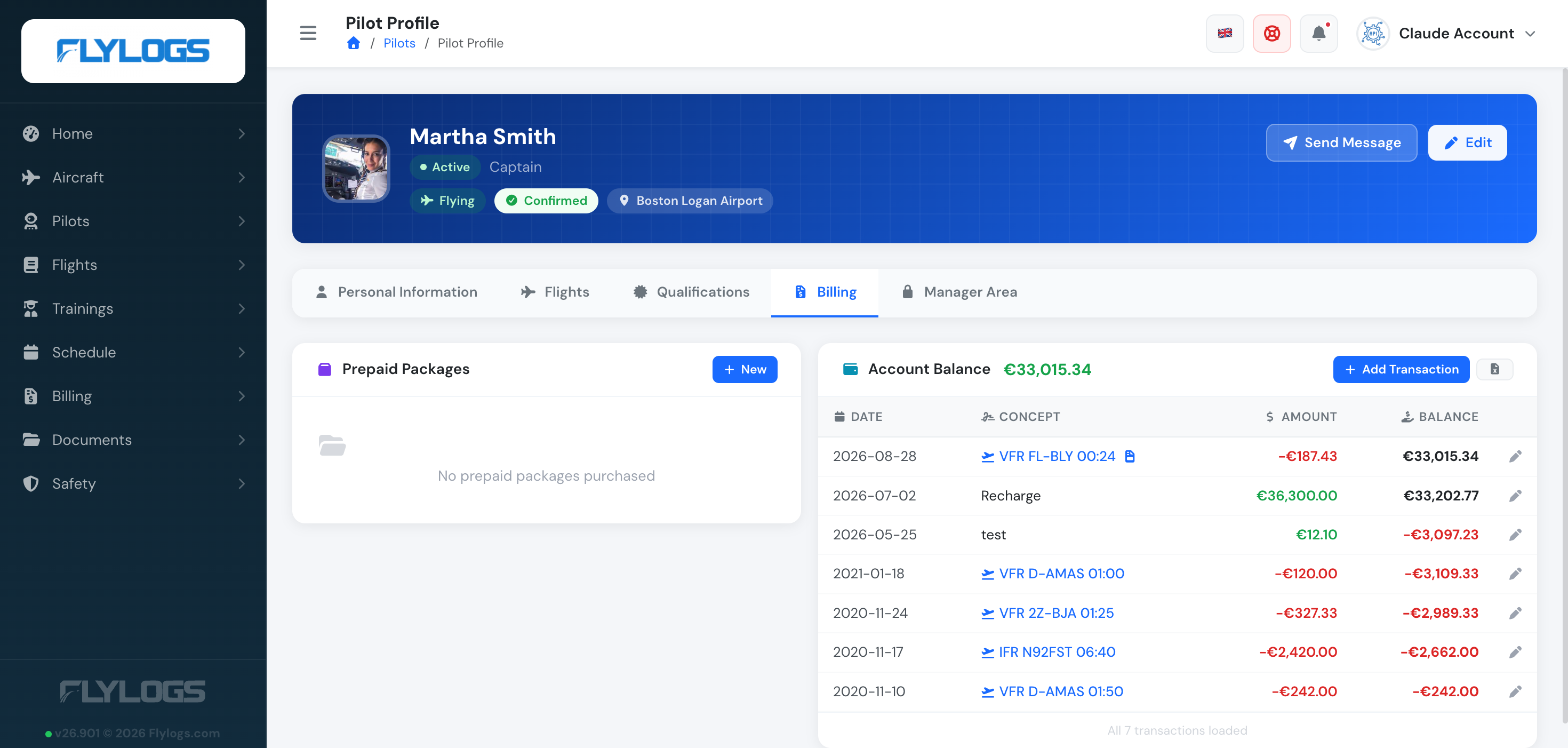
Your customer will receive a notification of the new bill and the amount billed will be deducted from the customer’s balance. If the customer holds a valid Prepaid package for that flight, it’s used first and only the remainder, if any, comes off the balance.
This is a great tool, because not only you have a single click billing solution in a single place, but also, your customers have full view of their expenses linked to their flights, creating a satisfying sensation of payment for a great service received.
Under Bill to, the panel shows the selected pilot’s current Account Balance (green when in credit, red when owing), so you can see where the pilot stands before you create or edit the bill. It updates as soon as you pick a different pilot.
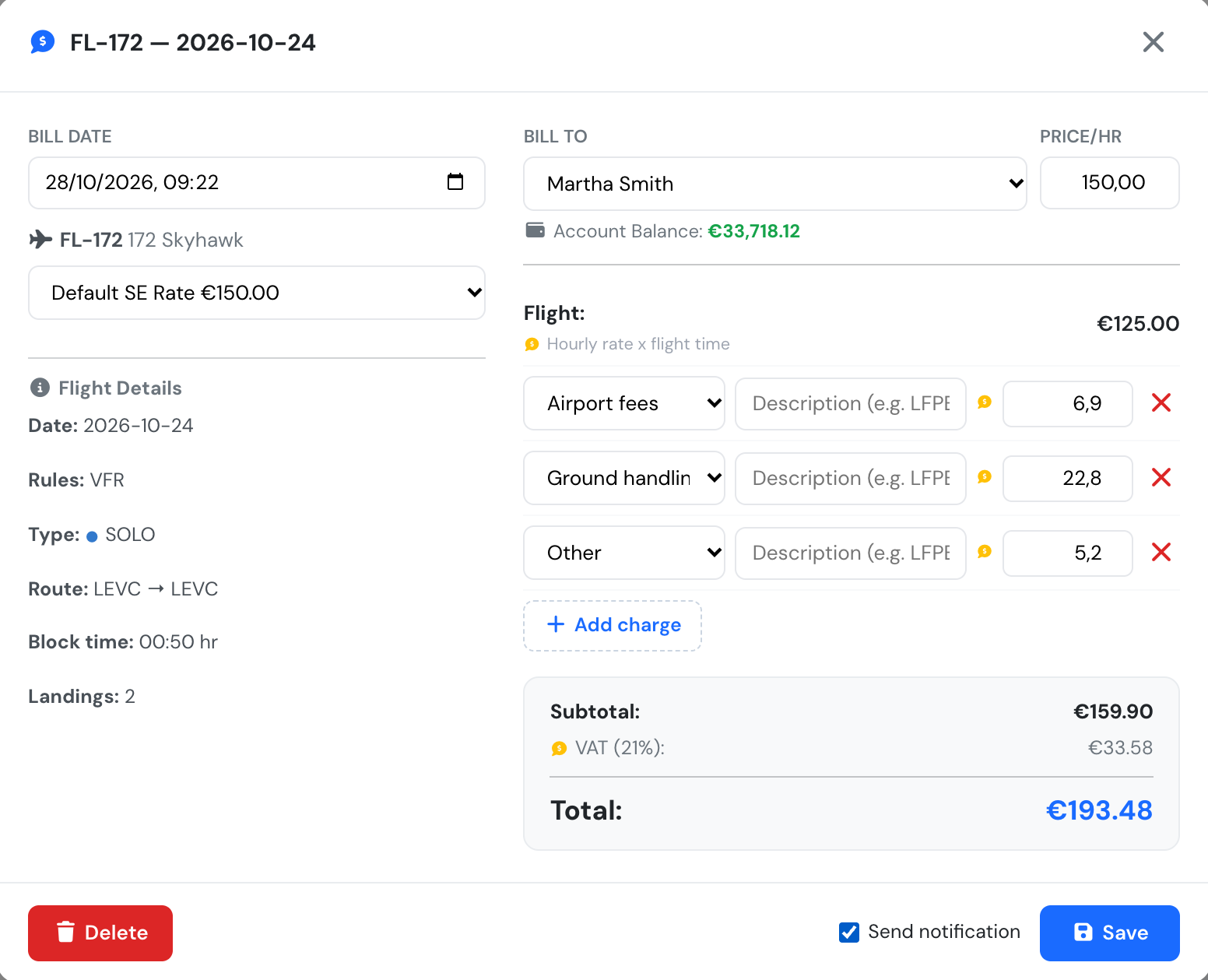
Flight Billing Panel, with the pilot's account balance under Bill to
If set in your company settings, your customer receives an instant email notification with the bill information and link. The balance is updated immediately and the bill — along with the customer’s full running balance and transaction history — is available on their profile’s Billing tab too.