

Safety actions
A safety action is a tracked corrective or preventive measure with an owner, a due date and a lifecycle that ends with a check that it worked. Actions attach to a safety report, to a hazard, to an audit finding (its corrective actions) or to a management review (the actions that result from the accountable manager’s decisions). The free-text corrective measures field of a report still exists and is still shown; it is not converted into actions.
Who can do what
Section titled “Who can do what”| Who | Safety actions |
|---|---|
| Compliance & Safety Manager and above (user group 110 or lower) | Create on reports and hazards, assign, edit, verify, cancel, reopen |
| Auditor (user group 250) | Read-only. Cannot own actions or mark them done. |
| Assigned reviewer or author of a report, any group | Propose actions on that report only (created as open, owner chosen by them) and see every action on it |
| Finding owner (any group) | Propose corrective actions on their own audit finding (created as open) and see every action on it |
| Accountable manager | Add resulting actions to a management review; read-only on findings |
| Action owner, any group | See and update only their own actions: mark done with a note |
| Everyone else | No access |
- Requires the Premium or Unlimited plan.
- The owner can be any active user of the company except an auditor.
- Owners see the action’s title and description and the title of its source, never the reporter of an anonymous report.
- The author of an anonymous report has no author rights on it.
Lifecycle
Section titled “Lifecycle”| Status | Meaning | Who moves it there |
|---|---|---|
| Open | Created and waiting for the owner. | Created open; a manager can reopen a done action. |
| Done | The owner reports it as carried out, optionally with a note. | The owner or a manager. |
| Verified | A manager checked it and recorded whether it was effective or not effective, with a note (both required). | Managers only. |
| Cancelled | No longer needed. A reason is required. | Managers only. |
- A not effective verification closes the action but flags it. The manager is offered New action from this one to follow up.
- Verified and cancelled actions cannot be edited.
- An open action past its due date counts as an overdue safety action on the Safety Assurance dashboard, and the tile turns red when an action is more than 30 days late or its source report or hazard is in the high band.
- Verifying an action does not change any risk value. When an effective action lowers the risk, a manager records the lower residual risk on the report or hazard, which is how an item leaves the high band.
Actions from audit findings and management reviews
Section titled “Actions from audit findings and management reviews”- Audit findings: the corrective actions of a finding are safety actions whose source is the finding. They keep the finding moving: the first action puts it In progress, and when none is open any more the finding moves to Awaiting verification. A finding that is a non-compliance can only be closed once at least one action is verified as effective and none is still open or waiting for verification (see the closing rules). A not effective verification flags the action and offers the follow-up action as usual.
- Management reviews: the actions resulting from the accountable manager’s decisions are safety actions whose source is the review. Managers and the accountable manager can add them before or after the review is recorded.
- Both appear in My safety actions with the finding number and title, or the period of the review, as source. The link opens the finding or the review for the people who can see them, and is plain text for everyone else.
- They count in the overdue safety actions indicator and trigger the same reminders as any other action.
- Owners are notified and can be any active user except an auditor.
Adding actions
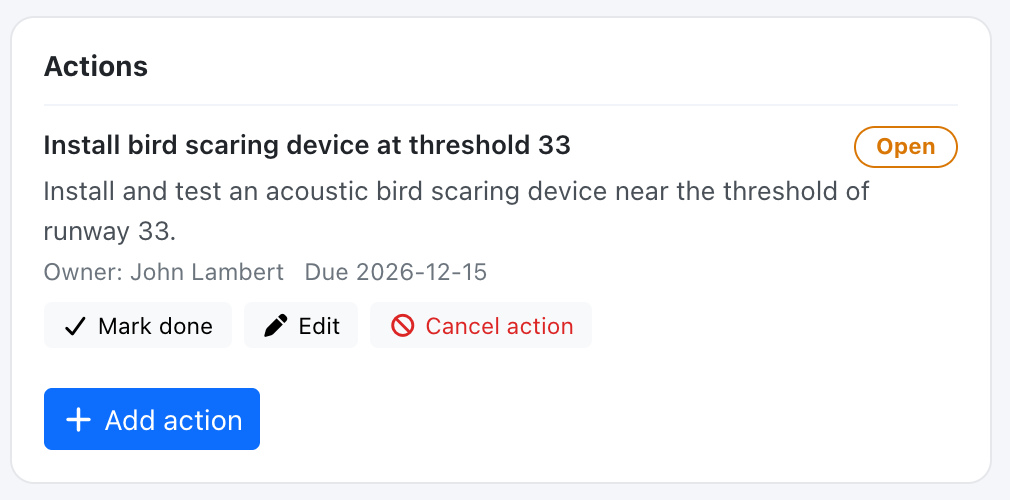
Section titled “Adding actions”Managers use Add action on a report or a hazard. A report’s reviewer or author sees Propose action instead.
Notifications
Section titled “Notifications”When an action is assigned, or its owner changed, the new owner receives an in-app message and an email. A daily reminder email goes to the owner 3 days before the due date and on the due date.
My safety actions
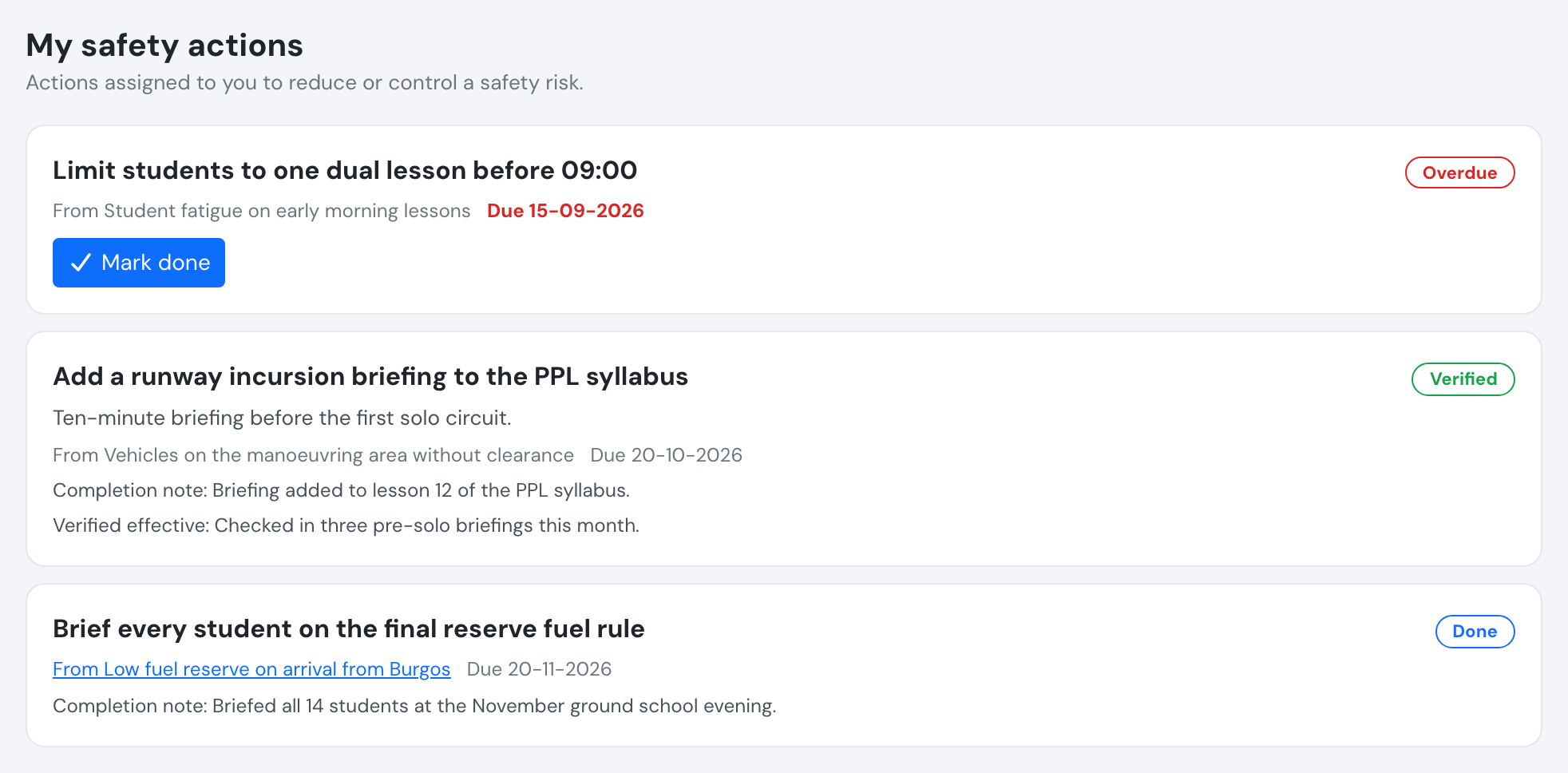
Section titled “My safety actions”Everyone with an active account sees Safety > My safety actions: the actions assigned to them, open ones first, ordered by due date. Owners use Mark done to complete an action with an optional note. Each action names its source report or hazard; a hazard source is a link only for safety managers and auditors (the hazard log is theirs), everyone else sees its title as plain text.
Verifying an action
Section titled “Verifying an action”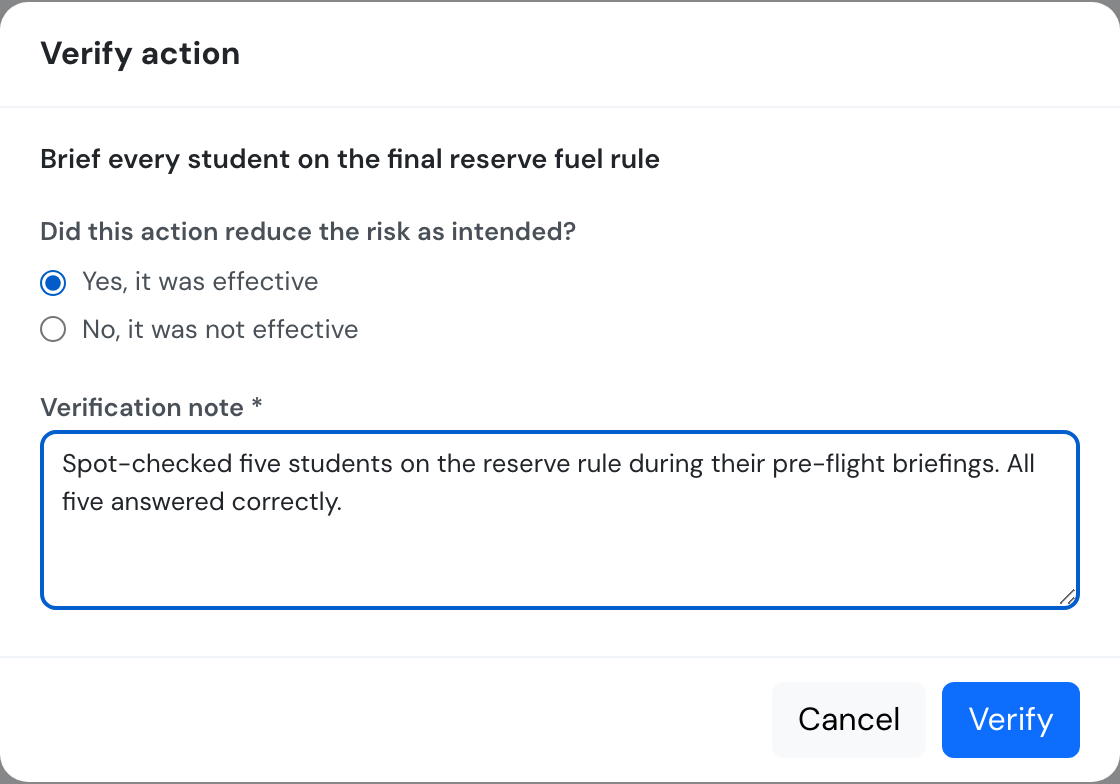
See Safety Assurance API.