

Training basics
Flylogs Training offers an evolving, low-effort online training management tool that directly competes with any existing industry-standard tools.
Our Trainings system is focused on pilot training and provides only the necessary tools in a direct and accessible way. It is included with Flylogs Premium subscription at no additional cost and allows you to have as many courses as you need.
Additionally, there is no limit in the amount of students.
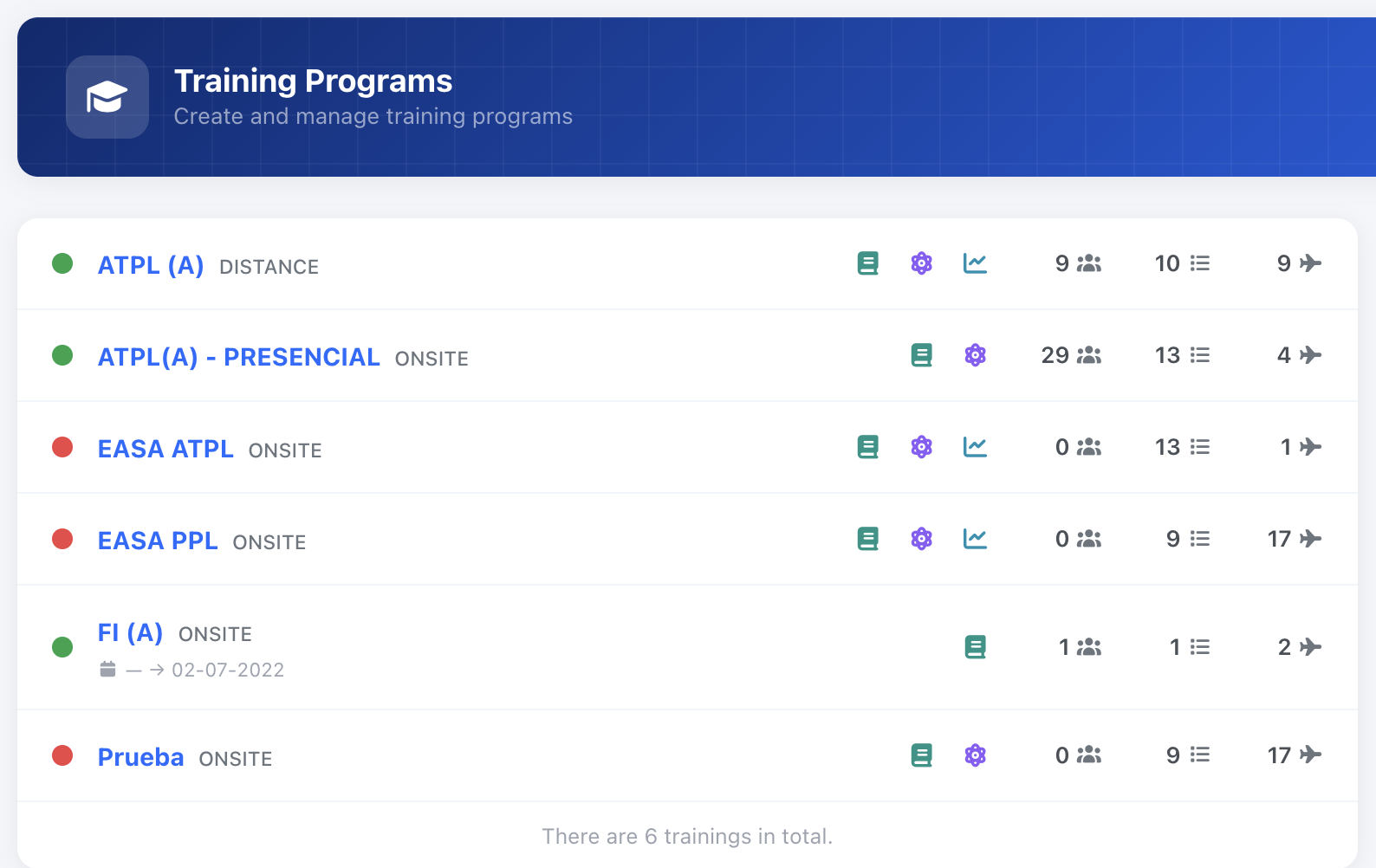
Training types
Section titled “Training types”Flylogs has 2 types of trainings you can create.
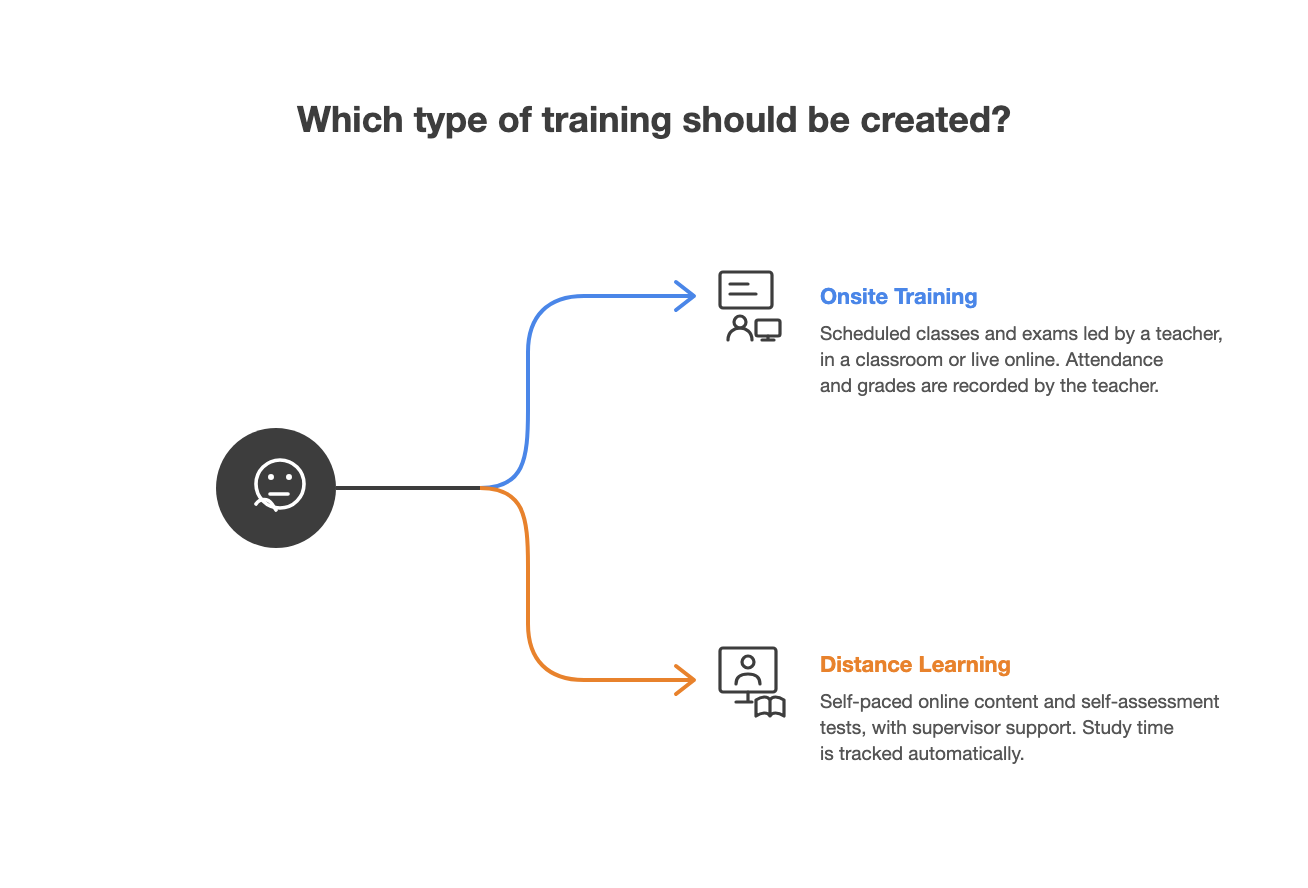
- Onsite training
Allows you and teachers to keep track of lessons, including class contents, attendance and exam results. Lessons happen in scheduled classes with a teacher, who records attendance, performance and exam results. A class can take place in a physical location that you reserve, or face to face online — leave the location empty and share the meeting details in the class description. - Distance learning
Students use online content and self assessment tools to study and complete each lesson in their own time. You can assign a supervisor that will support the student in their Distance Learning. The time each student spends studying will be tracked.
Competency-Based Evaluation (KSA)
Section titled “Competency-Based Evaluation (KSA)”Flylogs Trainings provides functionality to support Competency-Based Training and Assessment (CBTA) in accordance with EASA principles, enabling the structured assessment of Knowledge, Skills, and Attitudes (KSA)against predefined learning objectives at lesson level.
The system ensures that:
- Training objectives are defined in advance
- Assessments are conducted against observable criteria
- Records are traceable to the specific lesson, instructor, and student
- Corrective actions can be documented where performance is below standard
Scope and Applicability
Section titled “Scope and Applicability”This functionality applies to:
-
ONSITE theoretical or practical training, whether classes are held in a classroom or live online
-
Lessons delivered under CBTA or traditional training frameworks
-
Evaluations performed by:
- Assigned instructors
- Training managers with appropriate permissions
Training life cycle and expirations
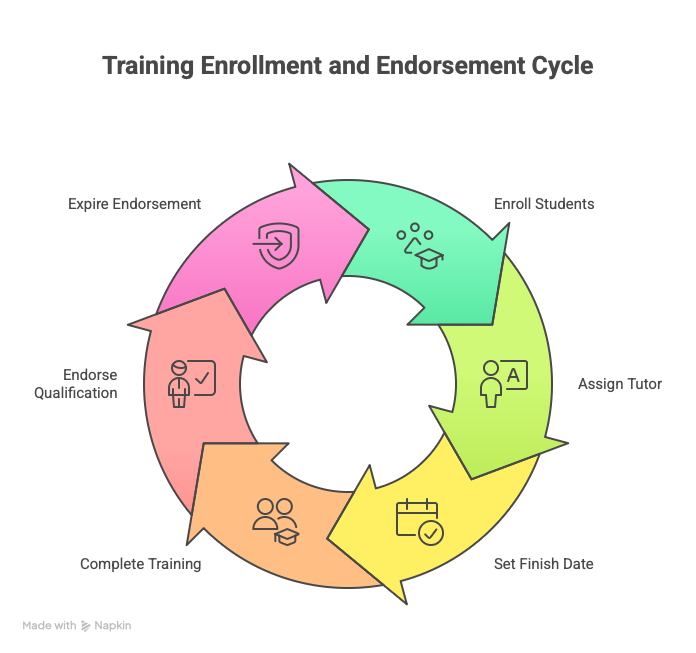
Section titled “Training life cycle and expirations”You can enroll students into trainings individually, or enroll an entire pilot group at once.
After enrollment, you can assign a training tutor to each student and set a “finish before” date by which the student must complete the training.
You can also define an expiration date for the resulting training qualification endorsement. Once a student completes the training, the endorsement will appear in their endorsement list for the defined validity period.
When the endorsement expires, it is automatically marked as expired and removed. The student will need to complete the training again to regain the endorsement.
Training templates
Section titled “Training templates”When you click the CREATE NEW TRAINING BUTTON, a wizard window will open asking you for the basic information about the course.
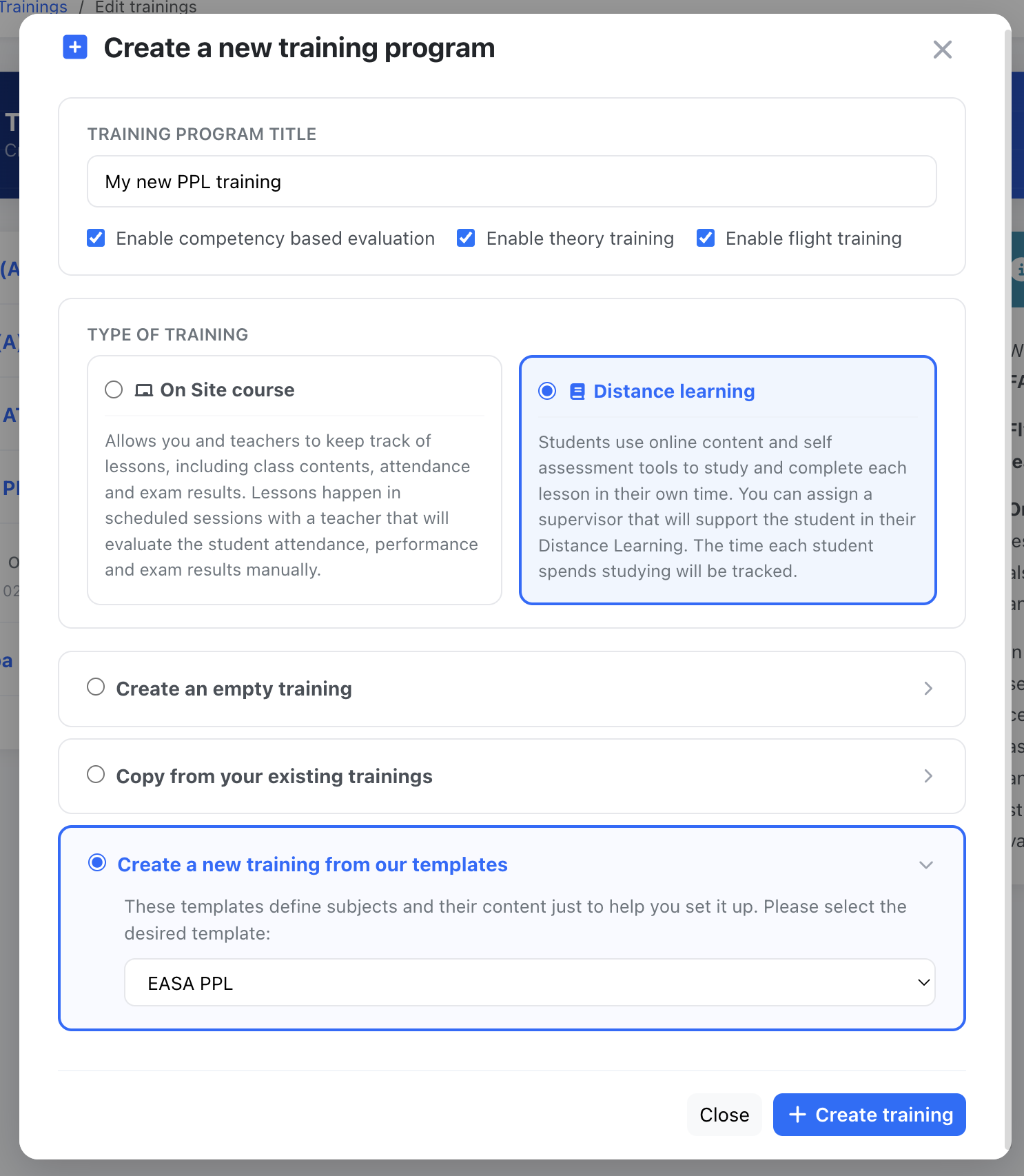
You can create a brand new training, copy an existing one, or use one of the available templates.
Flylogs offers pre built templates for the EASA PPL and ATPL programs. This templates come directly from the published training requirements and learning objectives existing in the respective EASA-FCL parts.
Training reports
Section titled “Training reports”These are the reports you will have for each one of your trainings:
- Students report
This report displays all students for each one of your training courses. It includes basic student info, training progress, attendance %, flight training progress and last flight date. - Training Audit
This page is similar to the Student report, but it is more focused into the ground school, including subject results and attendance records of all exams and lessons for each one of the students. - Teachers report
The teachers report displays the amount of lessons and time spent by each teacher for a given training and date range. - Analytics
This last page in the trainings tab, shows the amount of students that are still enrolled in the training and the phase of flight they are in. It also ranks the most repeated and failed flight missions in beautiful charts. This gives you an insight to understand and improve the training on those missions that your students find the hardest.
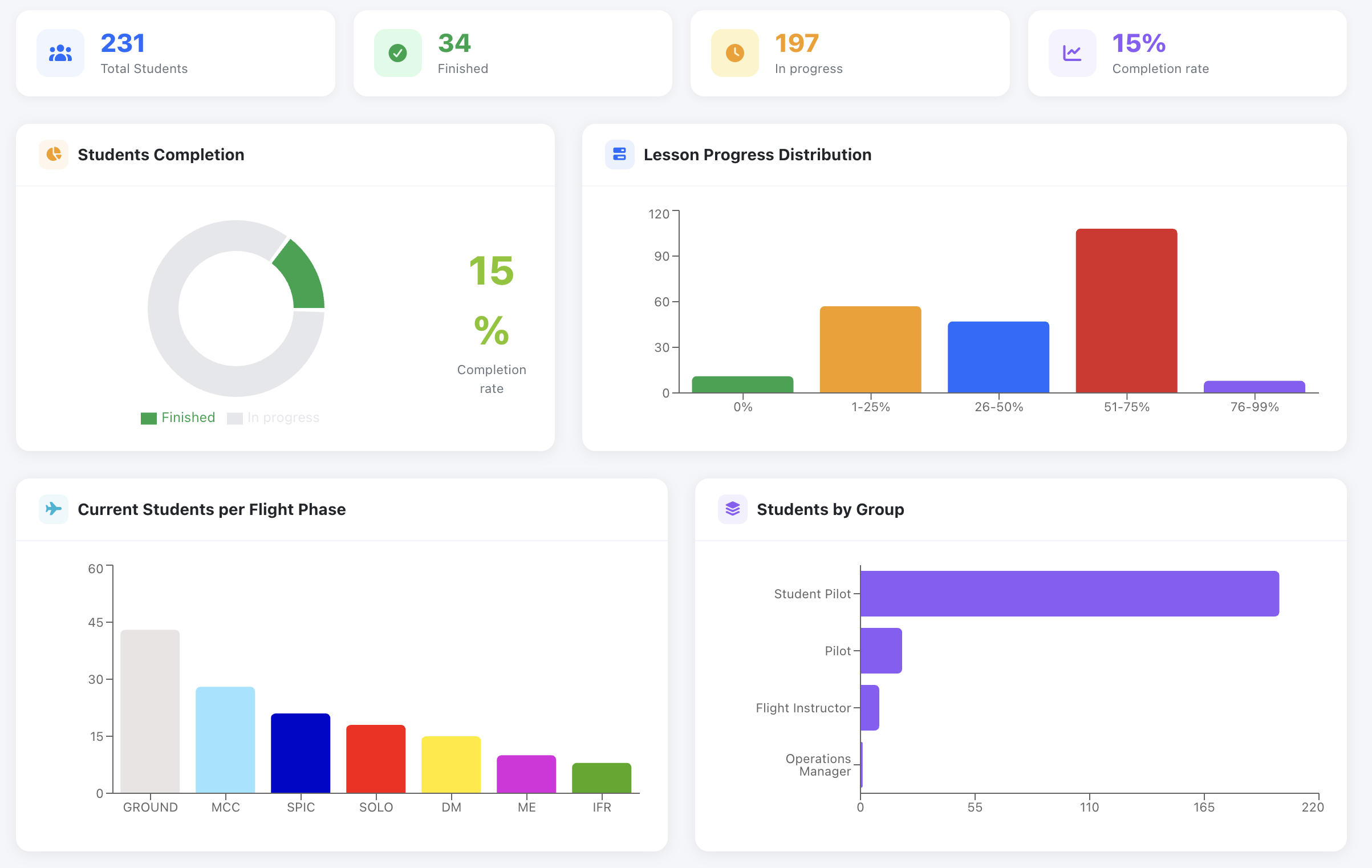
Trainings Analytics