

New: suggestions while you work
October 2026 · Safety, Maintenance, Schedules, Trainings, Crew, Flights, Support
Flylogs now reads what you write in a few key places and suggests the next step: the right classification for a safety report, the report a flight remark deserves, the ATA chapter of a defect or a work order, which NOTAMs matter for your flight, a grade that contradicts its comment, the real reasons behind “Other” cancellations, the dates on an uploaded certificate, and why a confirmed flight was edited.
Every one of them is a suggestion. Nothing is filed, saved, linked or changed until you click it, and every hint says it is automated. They appear only while you are online.
Filing a safety report
Section titled “Filing a safety report”As you describe the event, Flylogs suggests the classification (Safety Occurrence or Safety Information), the department, the ICAO occurrence category and the phase of flight — only where they differ from what is selected. One click applies each.
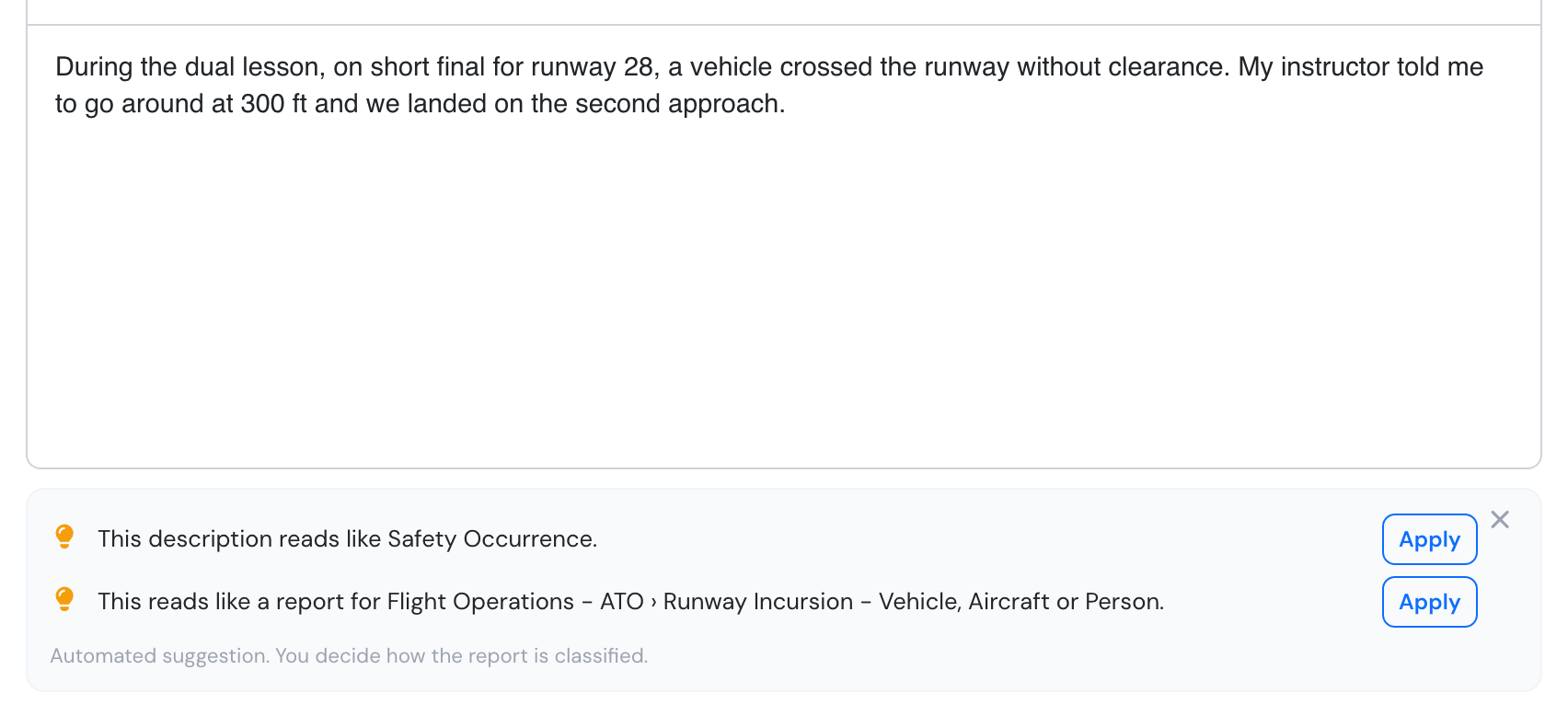
Suggestions under the description of a new safety report.
Safety managers get a Suggest initial risk button in Report Management: a starting probability and severity, with how sure it is.
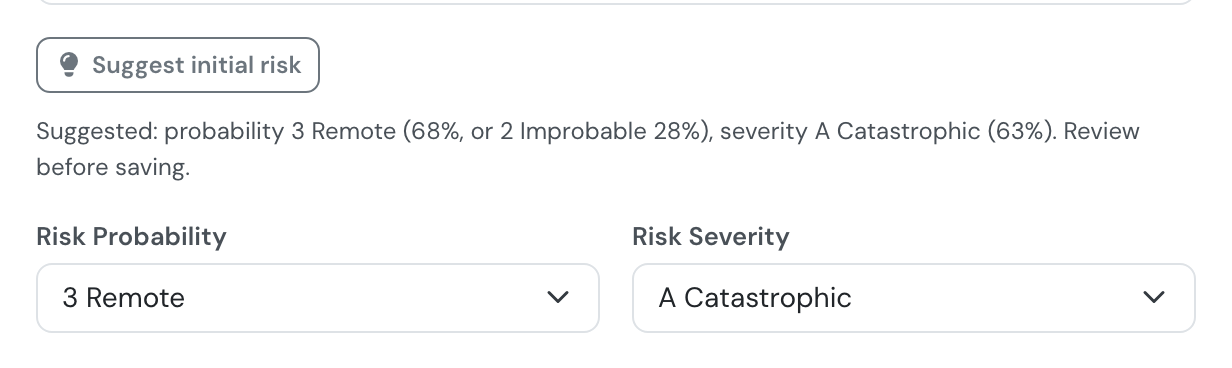
A suggested initial risk, waiting for the manager to save.
Create a safety report → · Risk matrix →
From a flight remark to the right report
Section titled “From a flight remark to the right report”When a remark you just wrote reads like a defect or a safety event, the flight page offers the matching form, pre-filled with the remark.
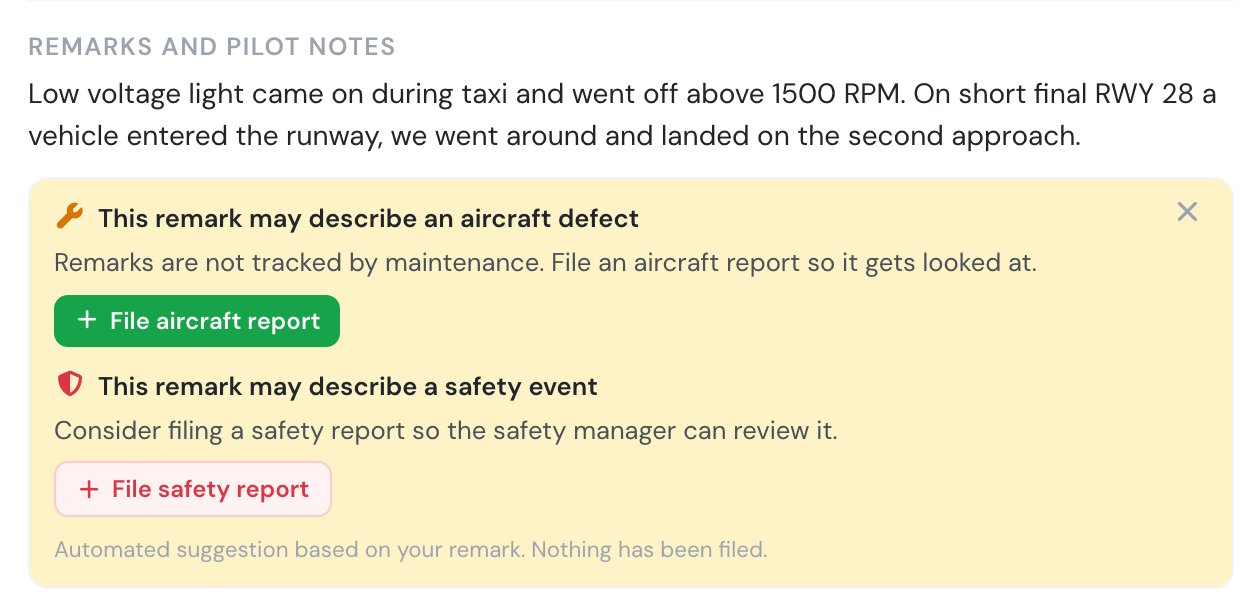
One remark, two reports offered.
While you write a defect, the aircraft report form suggests the ATA chapter and points out an open report on the same aircraft that already describes it.
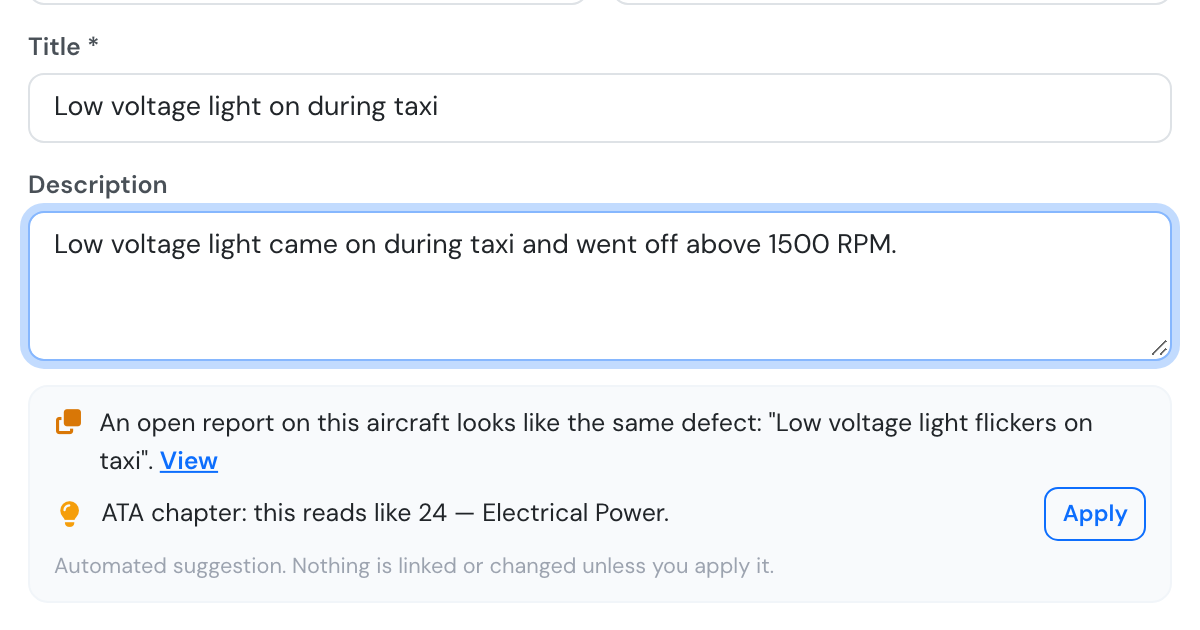
The same light was reported three days ago, and the ATA chapter is ready to apply.
Flight remark findings → · Aircraft reports →
NOTAMs ranked for your flight
Section titled “NOTAMs ranked for your flight”The briefing puts the NOTAMs that affect your flight first and folds away the ones that clearly don’t — never removing them. Read every NOTAM before flight.
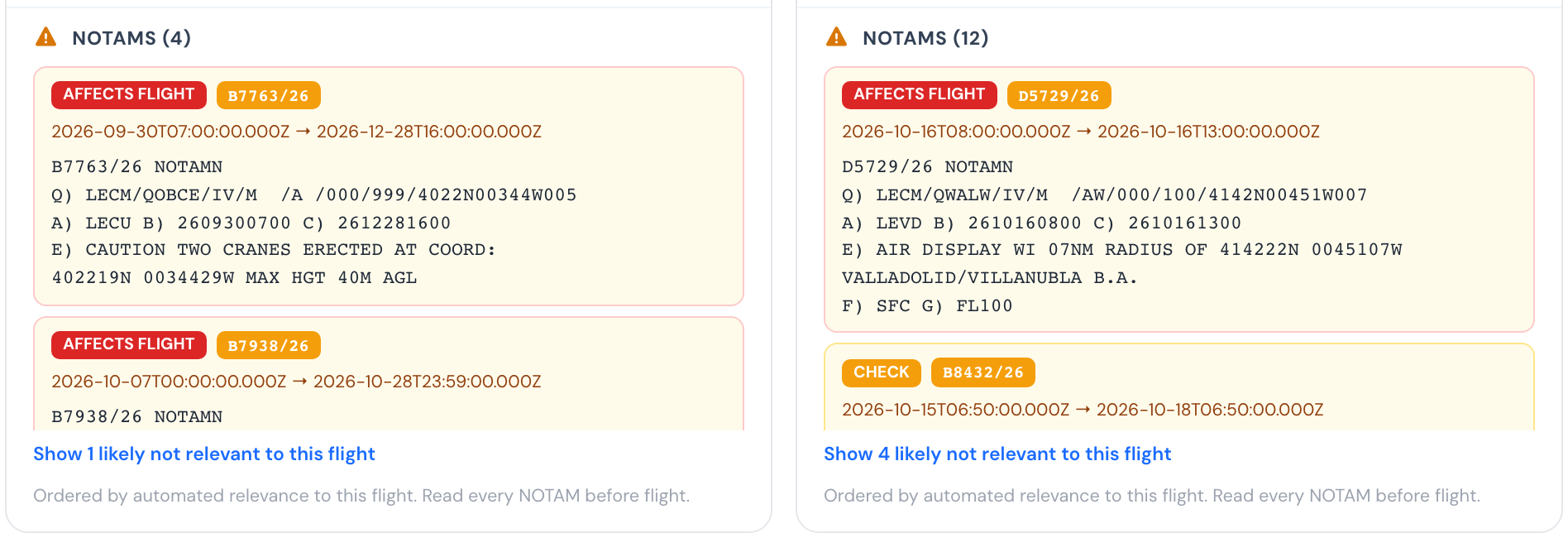
Departure and arrival NOTAMs, most relevant first.
Grade and comment check
Section titled “Grade and comment check”When an instructor’s comment on an exercise tells a different story from the grade, the grading window warns before saving. The grade stays the instructor’s.
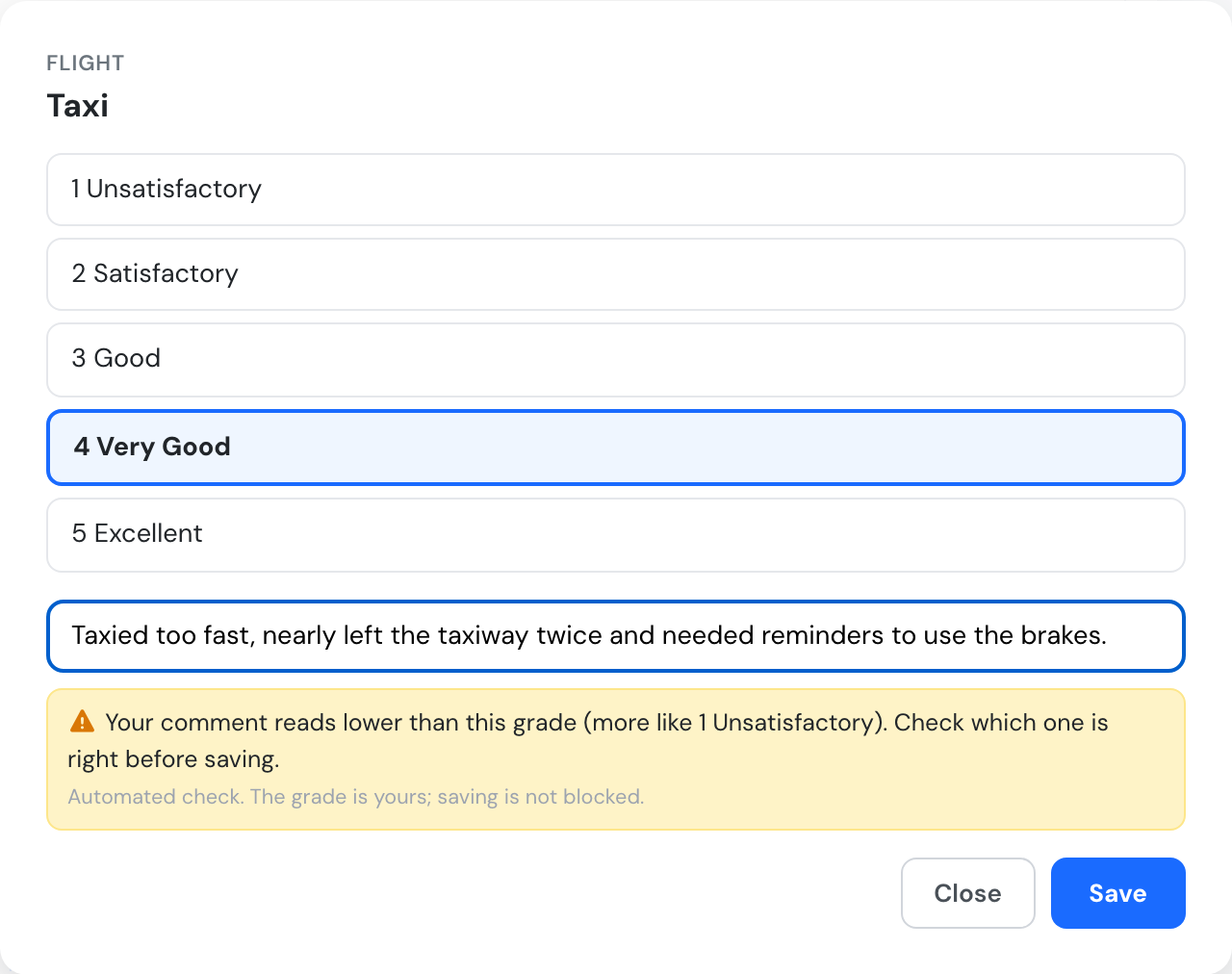
A comment that reads lower than the grade picked.
Cancellation reasons from notes
Section titled “Cancellation reasons from notes”Bookings cancelled as “Other reasons” now count under the reason their note gives, marked (from notes). The reason people chose is never changed.
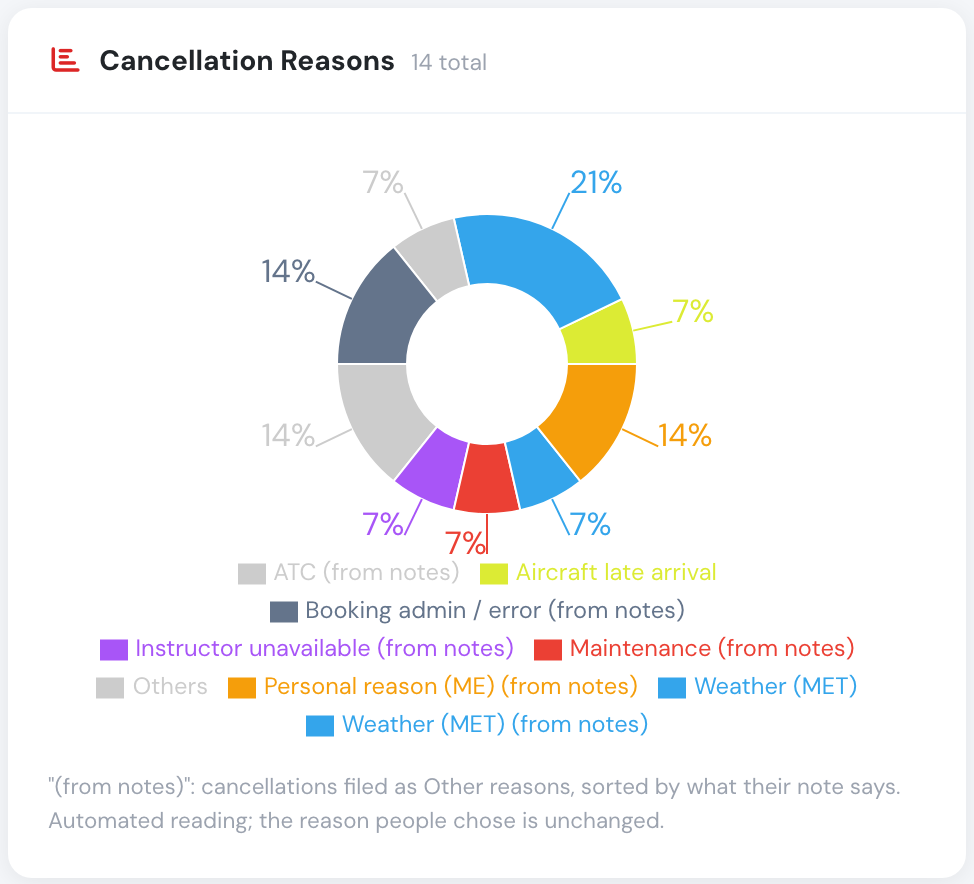
"Others" split into its real reasons.
Help before you report
Section titled “Help before you report”While you write to Flylogs support, the form suggests a help article that may already answer your question, and an open ticket describing the same problem, which you can follow instead of filing a new one. You can always still send your report.
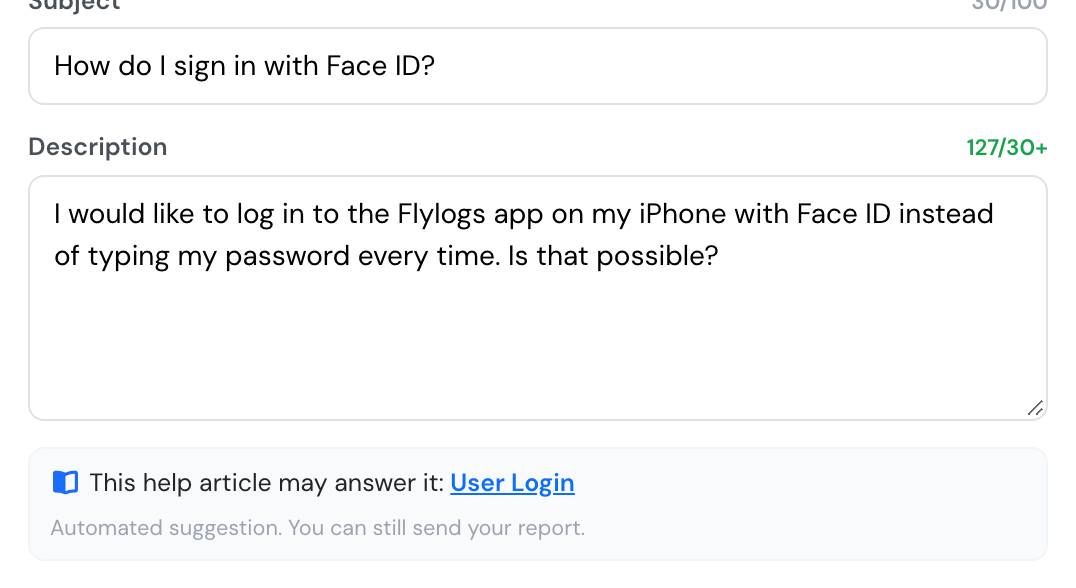
A help article suggested while writing to support.
Certificates read from the document
Section titled “Certificates read from the document”When you attach a certificate, Read the document reads its type, description, issue date and expiration date from the PDF or photo, so you don’t have to type them from the scan. Check them and apply them to the form. Flylogs warns you when the document is a specimen or carries another person’s name. The document is sent to our AI provider only when you press the button.
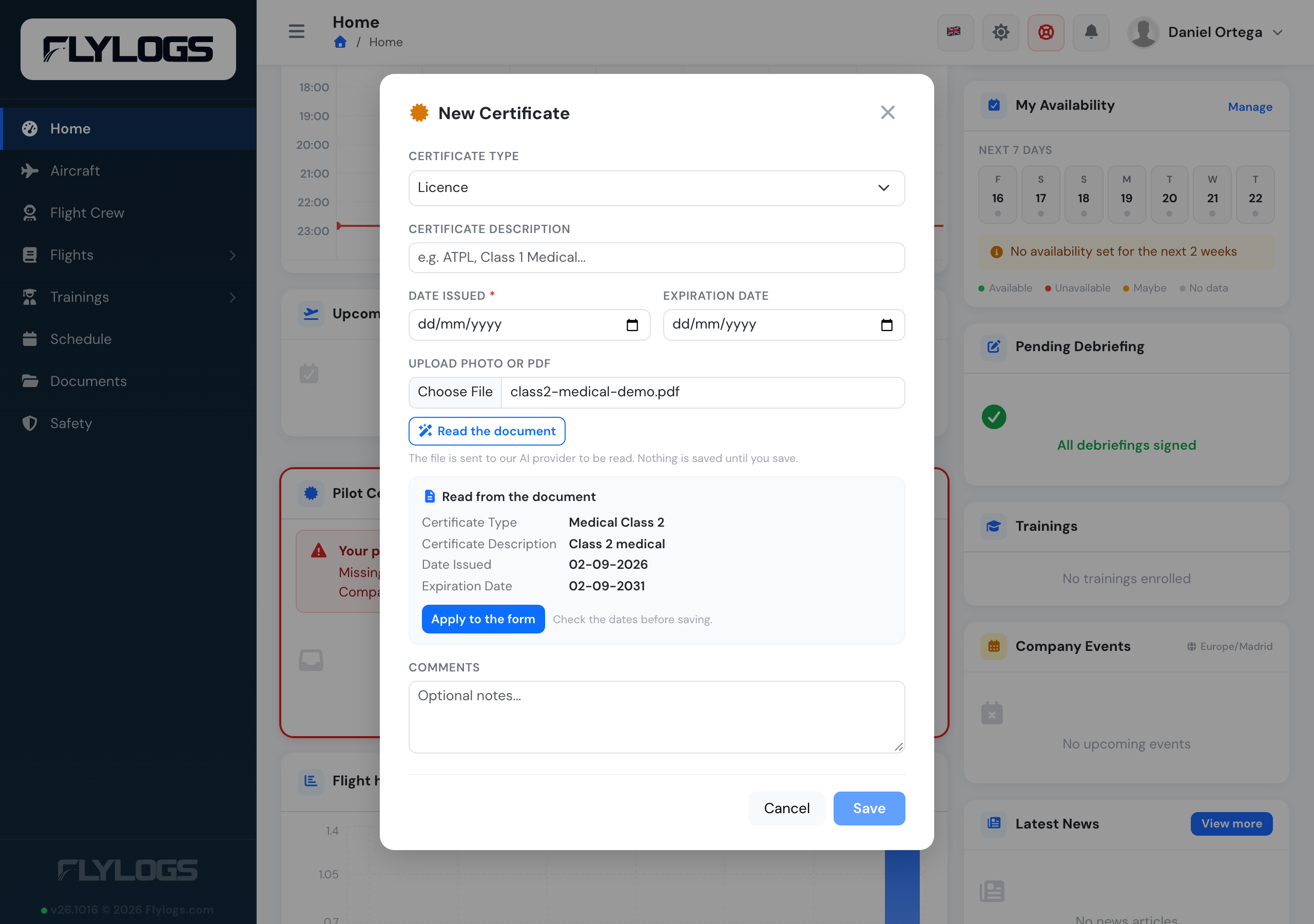
A medical read from its PDF.
Medical limitations at dispatch
Section titled “Medical limitations at dispatch”When a medical is read, Flylogs also picks up its limitations (VDL, OPL, OSL…). They are kept with the medical and shown to whoever dispatches a flight the pilot crews, with a warning when the flight as planned goes against one, for example passengers on board for a medical valid only without passengers.
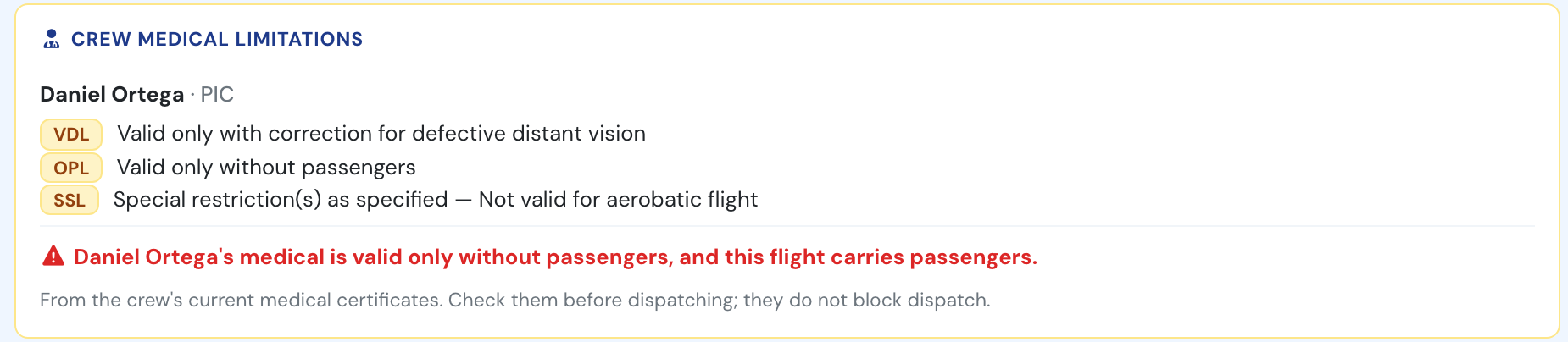
The crew's medical limitations in the dispatch box.
Medical limitations → · Flight dispatch →
More documents read for you
Section titled “More documents read for you”The same Read the document now works on more documents:
- Licences: each rating and endorsement on the licence, including language proficiency (now a certificate type of its own), is added as a certificate or updates the one on file.
- Passports, IDs and licences: the number, nationality and date of birth can update the profile, which is what the GenDec prints for the crew. The GenDec now prints the licence number.
- Aircraft documents: registration, ARC, insurance and radio licence dates go into the aircraft’s expiry dates, and a weighing report’s empty mass and arm into the Mass & Balance profile, converted to its units.
- Logbook pages: the total from the last page of a paper logbook becomes the pilot’s previous flight time.
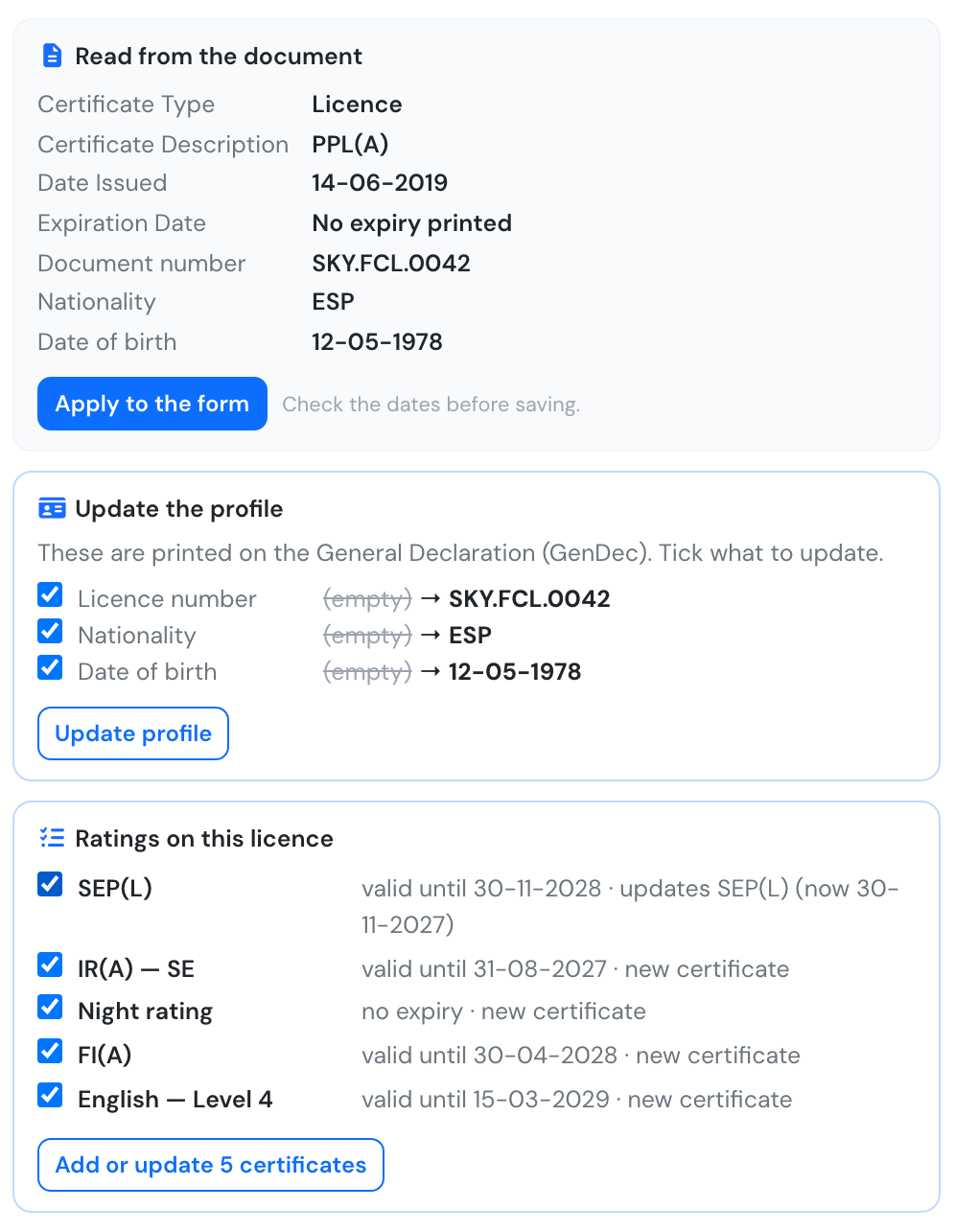
A licence read: profile details and its ratings.
Documents & certificates → · Aircraft documents → · Weighing report → · Previous flight time →
ATA chapters for work orders
Section titled “ATA chapters for work orders”Work orders, both in maintenance jobs and in maintenance plan actions, now get the same ATA chapter suggestion as aircraft reports.
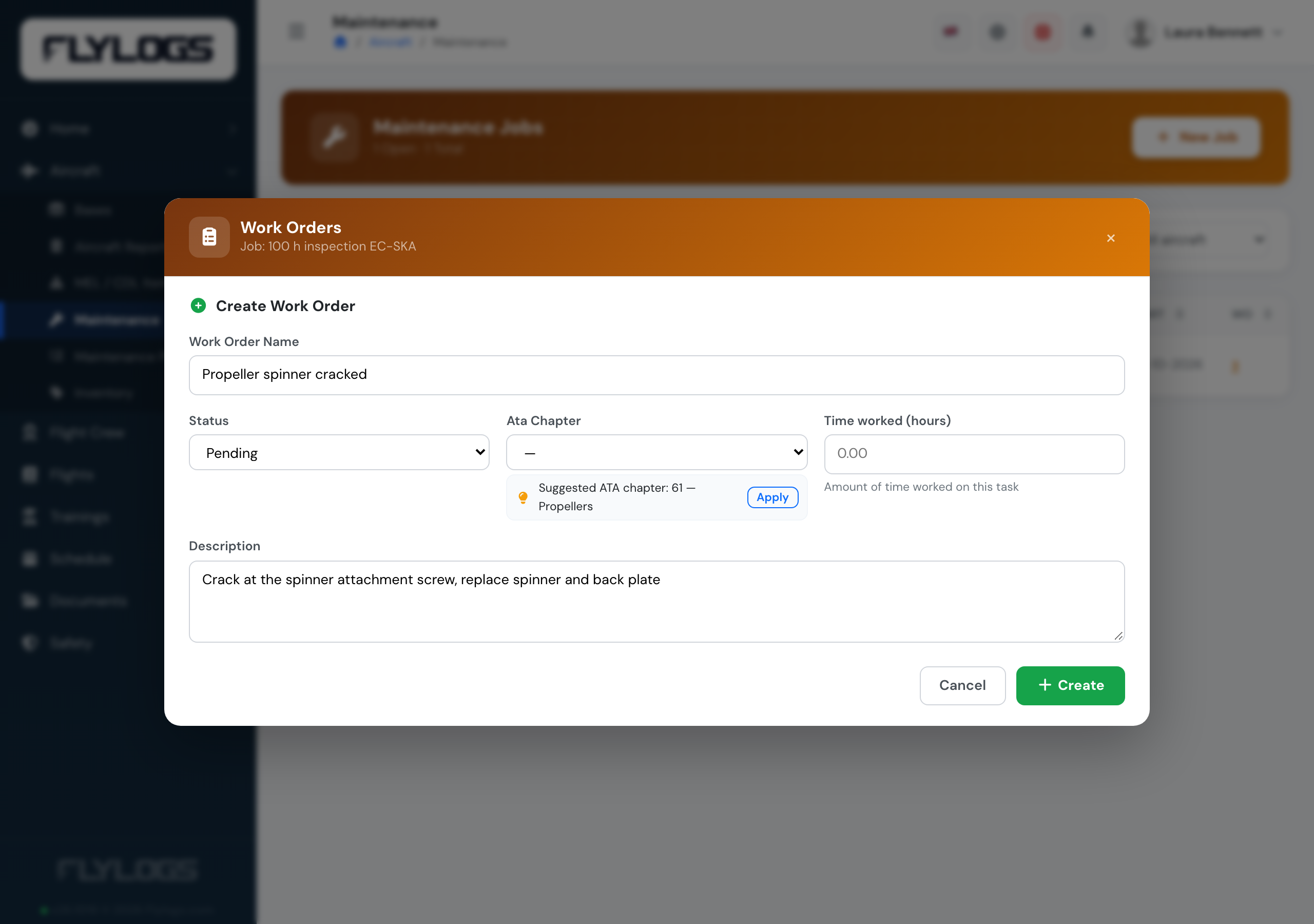
A propeller task, suggested under ATA 61.
Why confirmed flights were edited
Section titled “Why confirmed flights were edited”The Flights audit shows what each edit of a confirmed flight was about (times, crew, aircraft, route, training records, flight type, billing or notes), read from the reason the editor typed. You can also filter the flights by it.
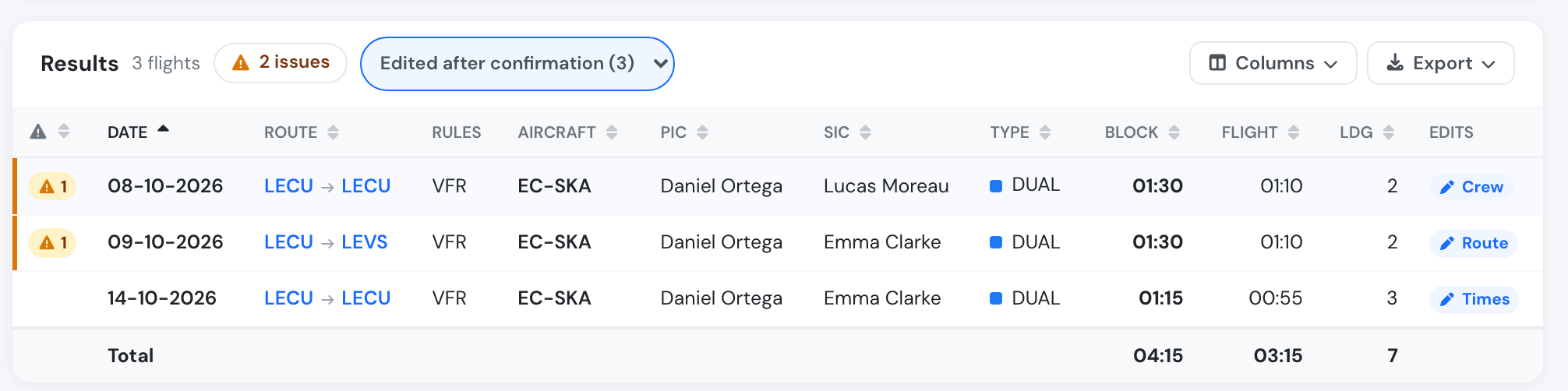
Edits after confirmation on the Flights audit.
Who sees what
Section titled “Who sees what”| Suggestion | Who |
|---|---|
| Safety report classification, department, category, phase | Anyone who can create a safety report |
| Suggest initial risk | Managers (user group 110 and below) and the report’s assigned reviewer |
| Remark hint on the flight page | The crew of that flight and managers; flights logged in the last 7 days |
| Defect hints (ATA, open report, open job) | Anyone who can file an aircraft report |
| NOTAM ranking | Everyone who can open the booking or flight |
| Grade and comment check | Flight Instructors and above |
| Cancellation reasons from notes | Whoever can open the Cancellations page |
| Help before you report | Everyone |
| Licence ratings → certificates | Anyone who can add the certificate |
| Update the profile from a passport, ID or licence | Own profile: nationality, date of birth, licence number (passport number: user group 150 and below). Others: user group 150 and below |
| Aircraft documents and weighing reports | Whoever can edit the aircraft: staff editors and the aircraft’s managers |
| Previous flight time from a logbook page | Managers: user group 150 and below |
| Medical limitations at dispatch | The flight’s crew and staff who can dispatch any flight (user group 150 and below) |
| Read the document (certificates) | Anyone who can add the certificate: the holder, or Flight Instructors and above for anyone in the company |
| ATA chapter on work orders | Anyone who can create or edit work orders and maintenance plans |
| Edit reasons on the Flights audit | Whoever can open the Flights audit |