

Crew document checks follow your flight types
November 2026 · Schedules & Dispatch
Flylogs checks crew documents against the certificates you list on each flight type. A flight type with no list has nothing to check, so please review yours. Medical checks also got simpler: a higher class now counts.
Check your flight types
Section titled “Check your flight types”Open Flights → Flight types. Each seat’s required certificates appear under that seat’s column, and a type with none says No required certificates.
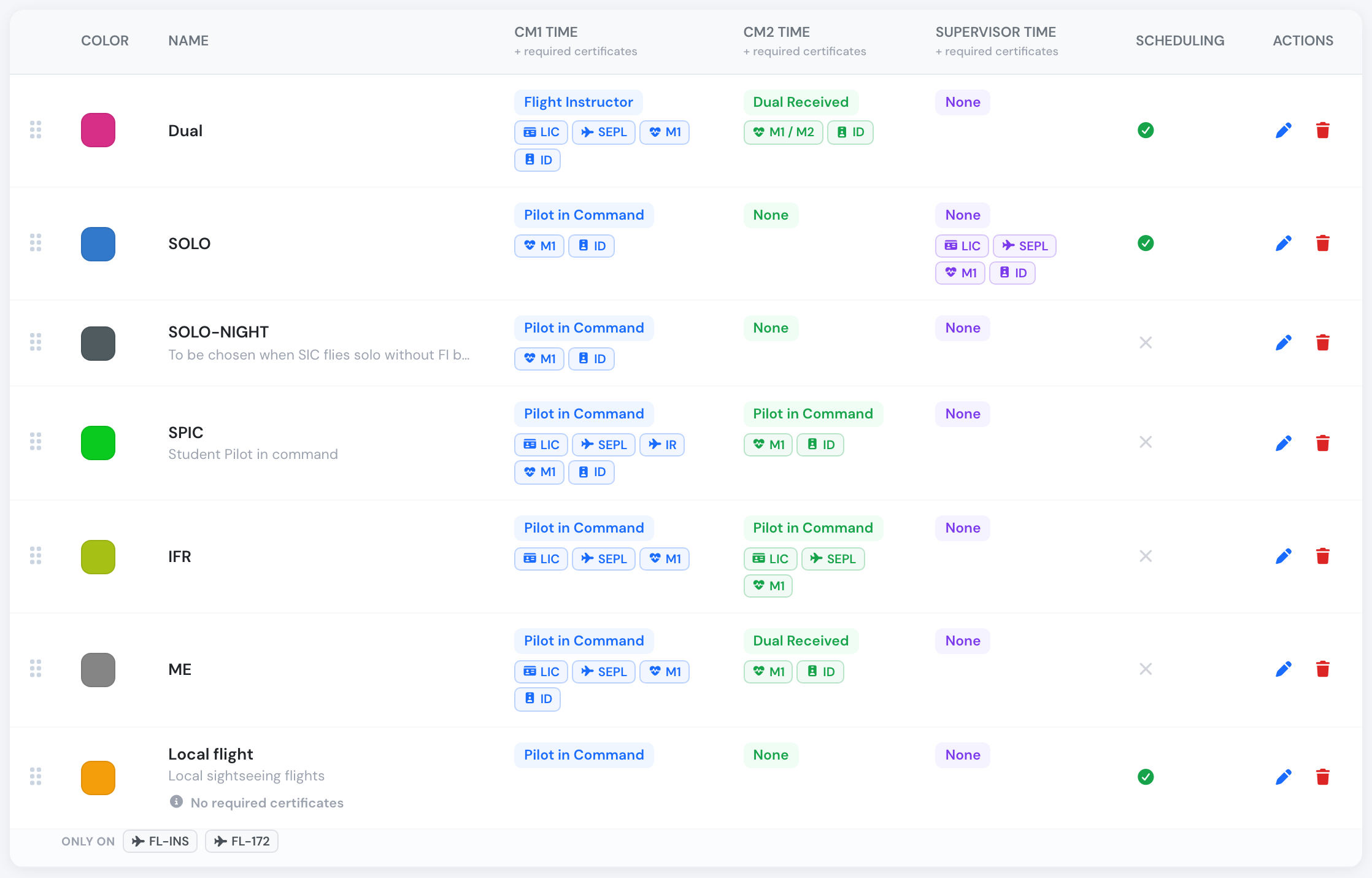
Local flight has no required certificates, so its crew are not document-checked.
Open a type and pick what each seat must hold. Hover any certificate to see what it is.
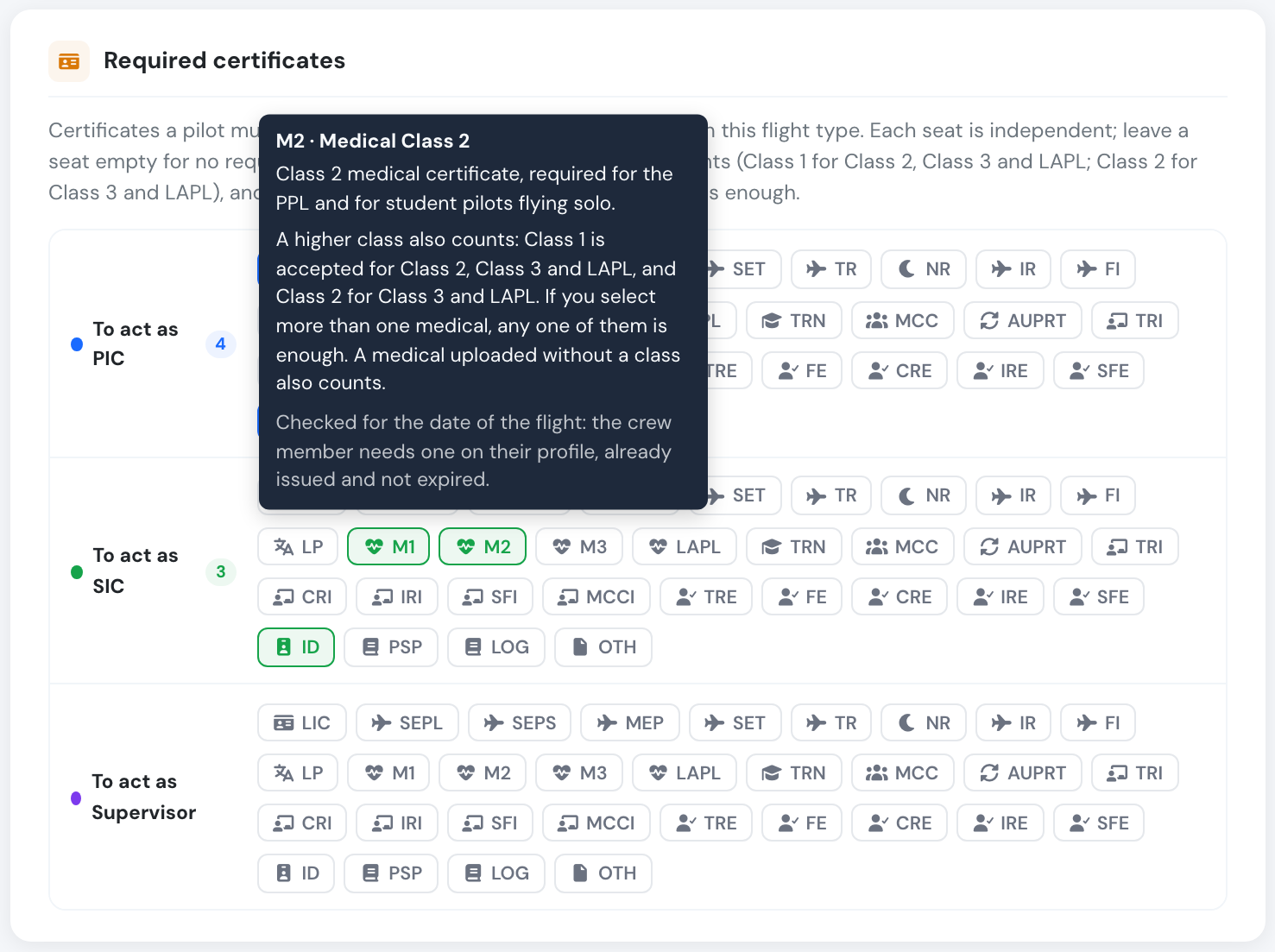
Each certificate explains itself when you hover it.
What you see on the schedule
Section titled “What you see on the schedule”On the crew card, a grey No docs required replaces the green Docs OK when the flight type lists nothing for that seat. Green Docs OK now always means a real check passed.
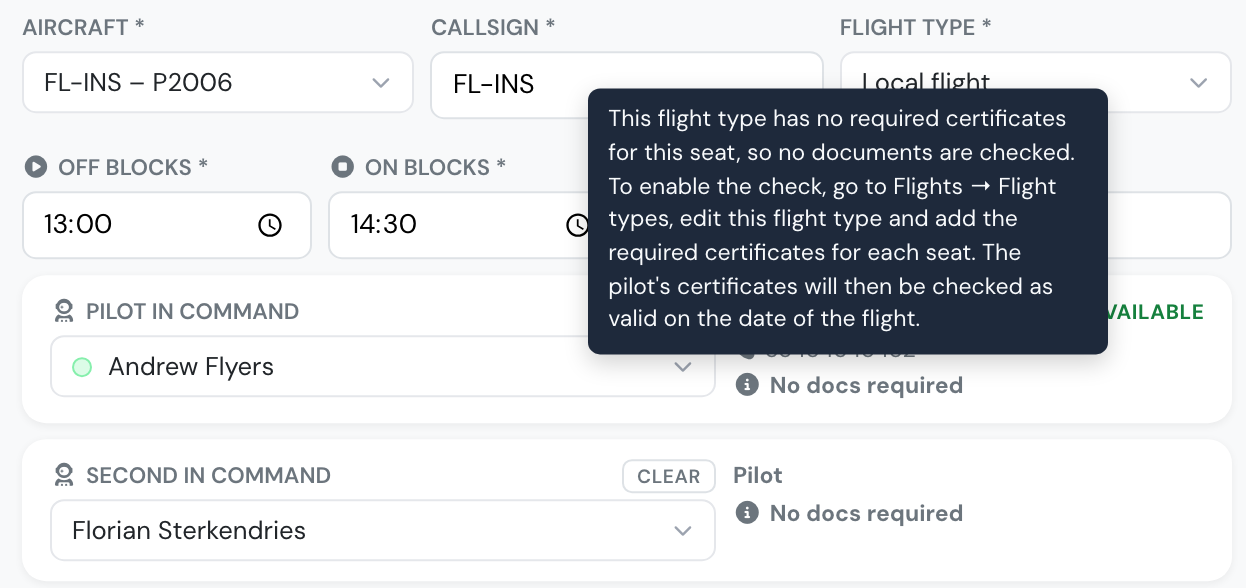
Hover the label to see how to switch the check on.
Medicals: a higher class counts
Section titled “Medicals: a higher class counts”- A seat requiring Class 2 also accepts a Class 1.
- A seat requiring Class 3 also accepts a Class 2 or Class 1.
- A seat requiring a LAPL medical also accepts a Class 2 or Class 1.
- If you select more than one medical for a seat, any one of them is enough.
A seat requiring Class 1 still accepts only a Class 1. This applies on the schedule, the dispatch briefing, the flight form and self-booking warnings.
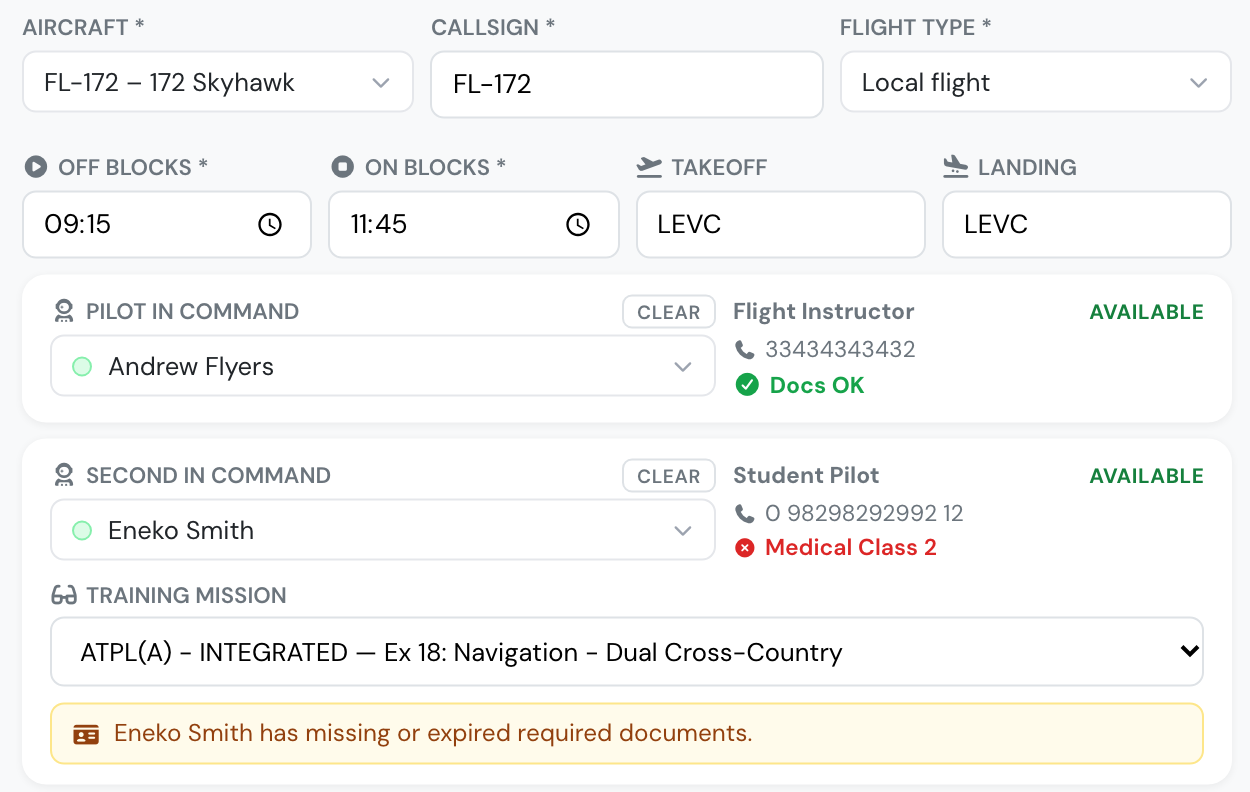
A Class 1 meets the PIC's Class 3 requirement. A Class 3 does not meet the SIC's Class 2 requirement.
Checked at the date of the flight
Section titled “Checked at the date of the flight”Every crew check now uses the flight’s date and time, including the dispatch briefing and the flight form. A flight logged late is no longer flagged for a medical that has expired since, and a booking after a medical’s expiry shows it as expired.

A November booking: this M1 expired in October, so it is red.
New companies
Section titled “New companies”Companies signing up from now on start with a licence and a Class 1 medical required on the PIC seat of every starter flight type. Adjust them to suit your operation.