

Competency-Based Evaluation (KSA)
Flylogs Trainings supports competency-based student evaluation (KSA) through configurable learning objectives linked directly to lessons. This allows instructors and training managers to assess each student consistently against predefined objectives, in addition to tracking attendance.
Overview
Section titled “Overview”With this feature, training managers can:
- Define Learning Objectives (KSA / competency items) per lesson
- Enable or disable competency-based evaluation at training level
- Allow instructors or training managers to:
- Record student attendance
- Evaluate students per learning objective
- Add remarks and corrective measures when required
This ensures traceability between training content, lesson delivery, and student performance.
1. Enabling Learning Objectives for a Training
Section titled “1. Enabling Learning Objectives for a Training”Learning Objectives are enabled at the training level.
- Open an ONSITE training
- Click Edit Training
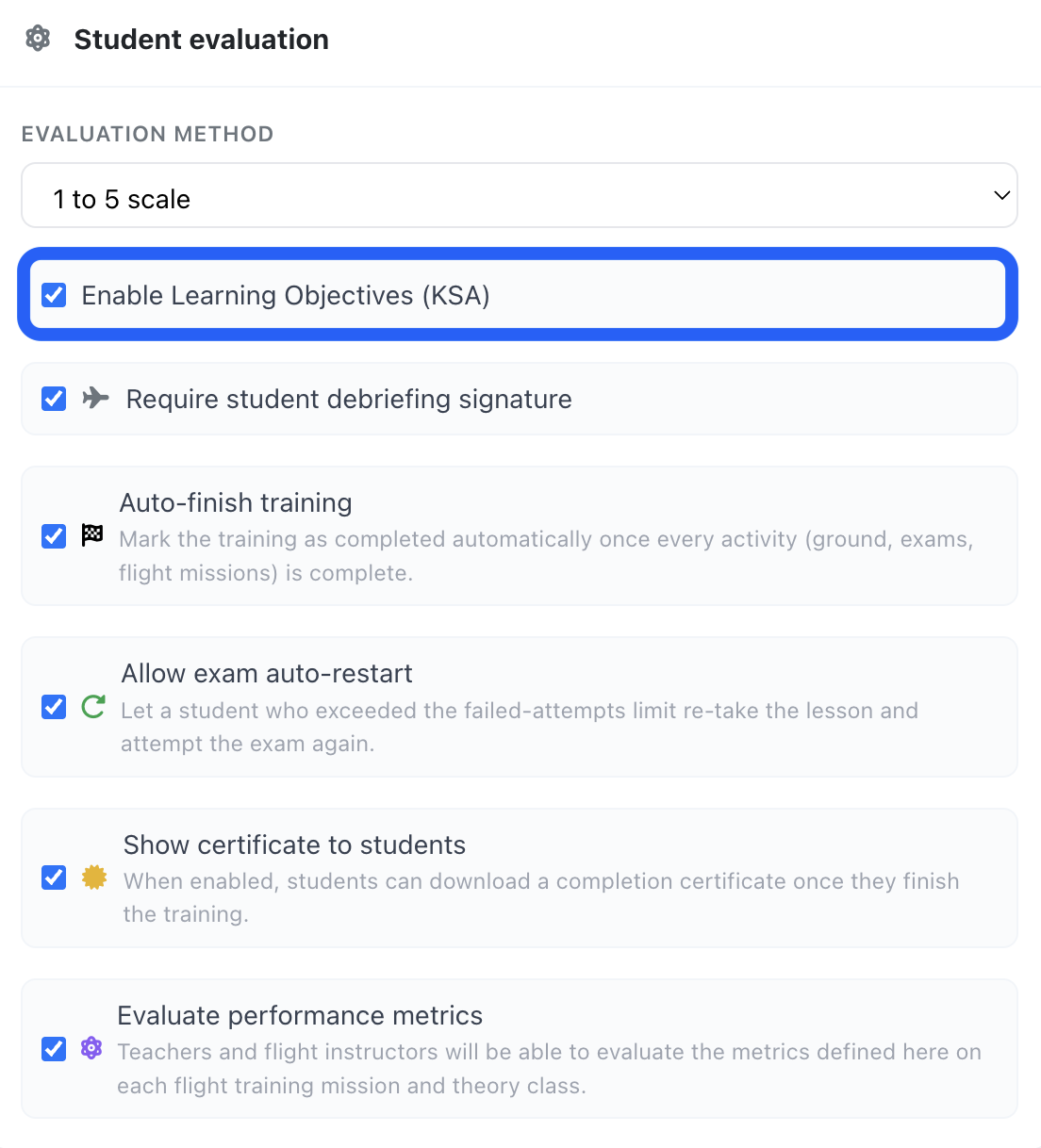
- Enable the option “Enable Learning Objectives in lessons”
Once enabled, all lessons within this training can store and use learning objectives for student evaluation.
📸 Screenshot: Training settings – Enable Learning Objectives
2. Defining Learning Objectives per Lesson
Section titled “2. Defining Learning Objectives per Lesson”Each lesson can have its own set of learning objectives.
- Open a lesson
- Go to the Objectives tab
- Add one or more learning objectives as needed
Learning objectives typically reference:
- Syllabus or regulatory items
- Knowledge, Skills, and Attitudes (KSA)
- Internal training standards
These objectives will later be used during student evaluation.
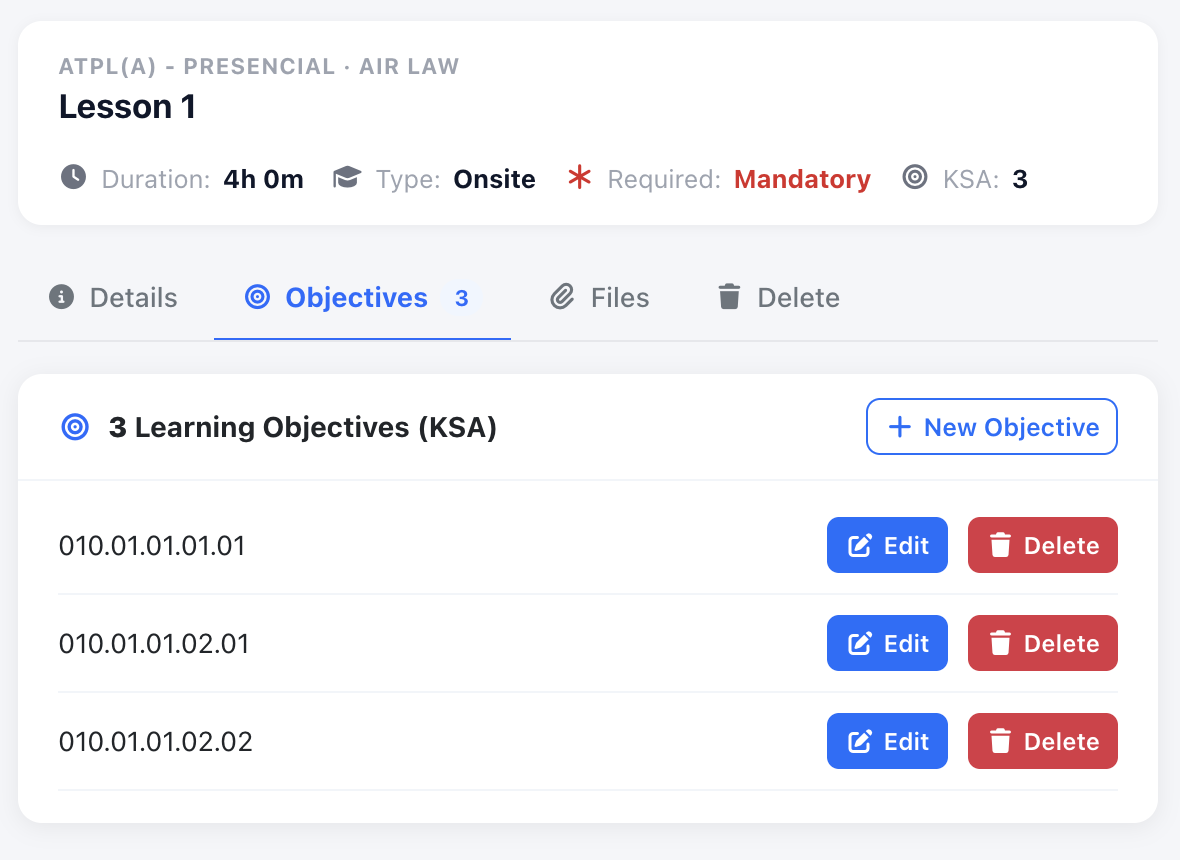
Screenshot: Lesson objectives management tab
3. Attendance and Student Evaluation During the Lesson
Section titled “3. Attendance and Student Evaluation During the Lesson”When a lesson is scheduled and delivered:
- The assigned teacher or any training manager can:
- Mark student attendance
- Evaluate each attending student
From the attendance view, an Evaluate button is available for each student.
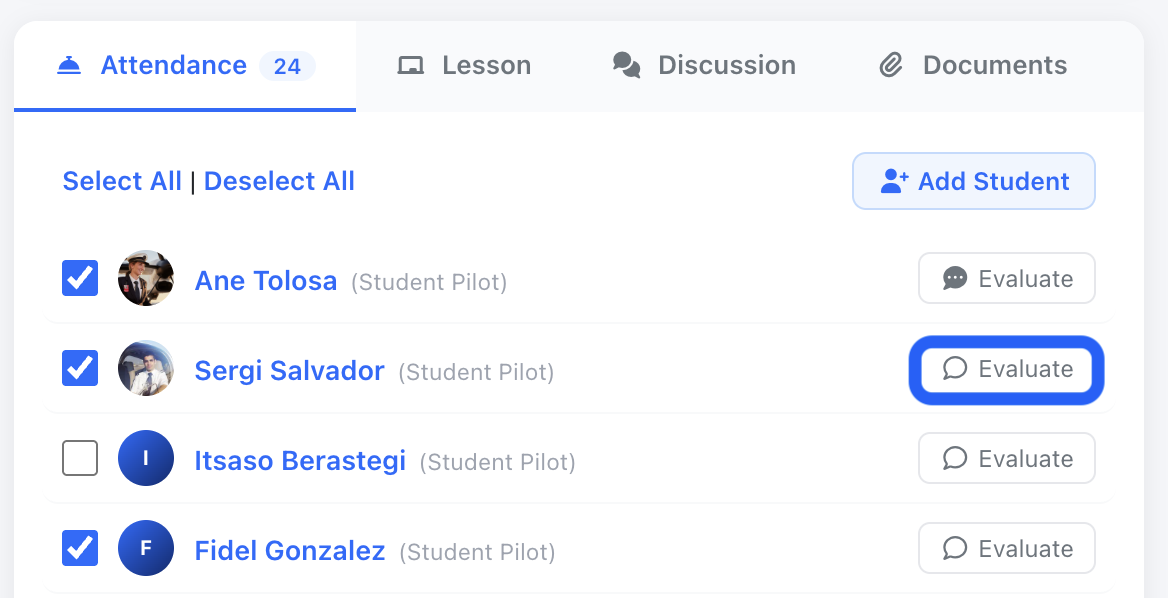
Screenshot: Student attendance with Evaluate option
4. Evaluating Students per Learning Objective
Section titled “4. Evaluating Students per Learning Objective”When evaluating a student:
- All learning objectives defined for the lesson are displayed
- Each objective can be evaluated individually (e.g. Standard / Above / Below)
- The evaluator can add:
- Remarks
- Corrective measures, if required
This allows a clear, objective-by-objective assessment of student performance for that specific lesson.
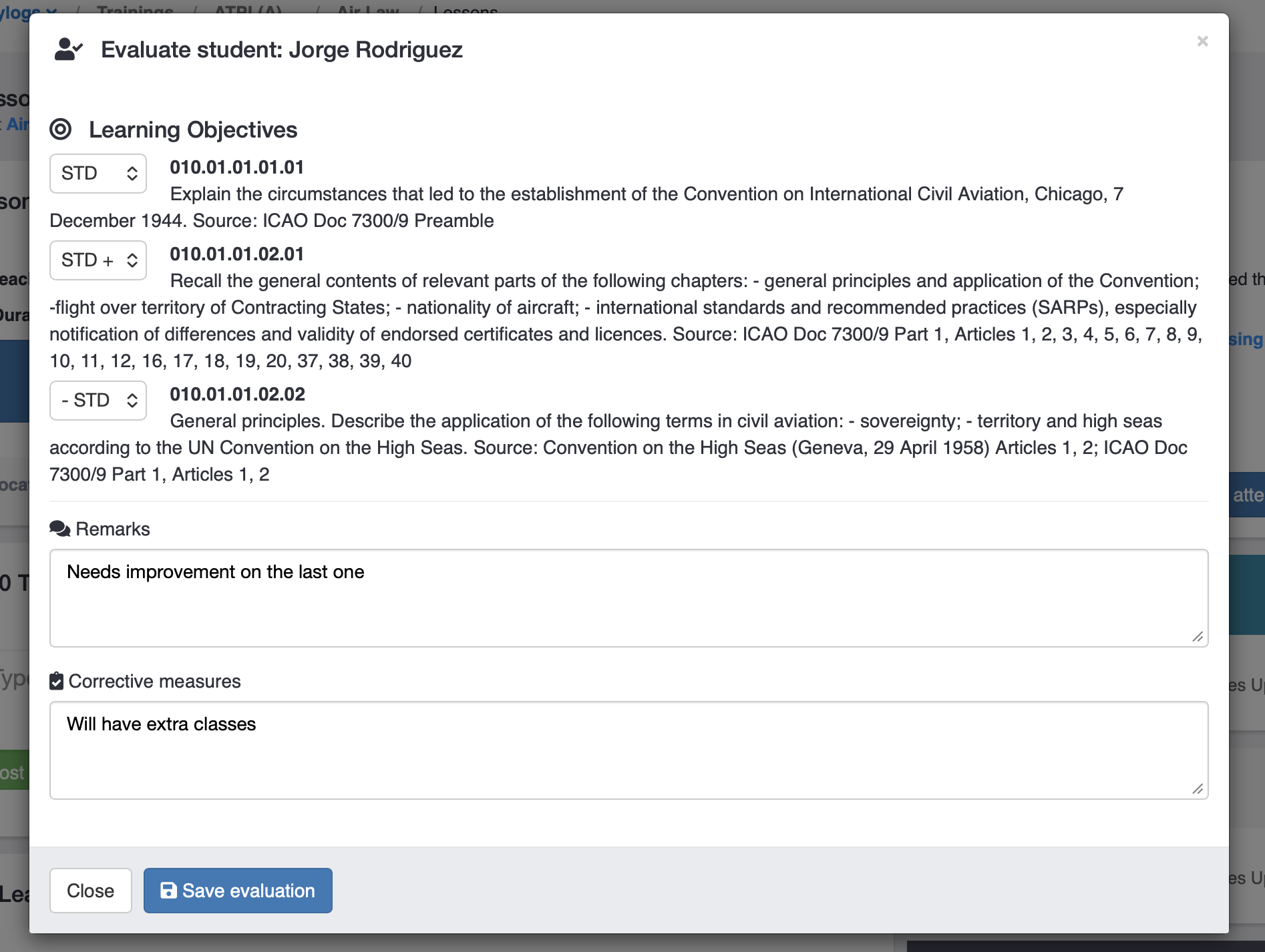
Screenshot: Student evaluation modal with learning objectives
Key Benefits
Section titled “Key Benefits”- Competency-based evaluation aligned with lesson content
- Clear linkage between syllabus objectives and student performance
- Standardized evaluations across instructors and sessions
- Centralized record of attendance and competency assessment