

Hazard log
The Hazard log (Safety > Hazard log) is where your organisation records hazards as records of their own, separate from the reports that revealed them. A hazard can be linked to many reports, has an owner, an initial and a residual risk, a review interval and an append-only review history. It supports the hazard identification and risk management processes of ICAO Annex 19 and Doc 9859.
The page has two tabs: Hazards (opens first) and Review register, the list of closed reports that used to be the Register page, unchanged.
Who can do what
Section titled “Who can do what”| Who | Hazard log |
|---|---|
| Compliance & Safety Manager and above (user group 110 or lower) | Create, edit, review, close, link, unlink, accept risk |
| Auditor (user group 250) | Read-only |
| Assigned reviewer or author of a report, any group | On that report only: create a hazard from it, or link it to an existing hazard. They find existing hazards by searching, which returns only the ID and title. Unlinking a report from a hazard is reserved to safety managers. |
| Everyone else | No access |
- Requires the Premium or Unlimited plan.
- The author of an anonymous report has no author rights on it.
- Auditors cannot create or change anything, including hazards, links, reviews and actions.
- The hazard owner must be an active user of your company, and cannot be an auditor.
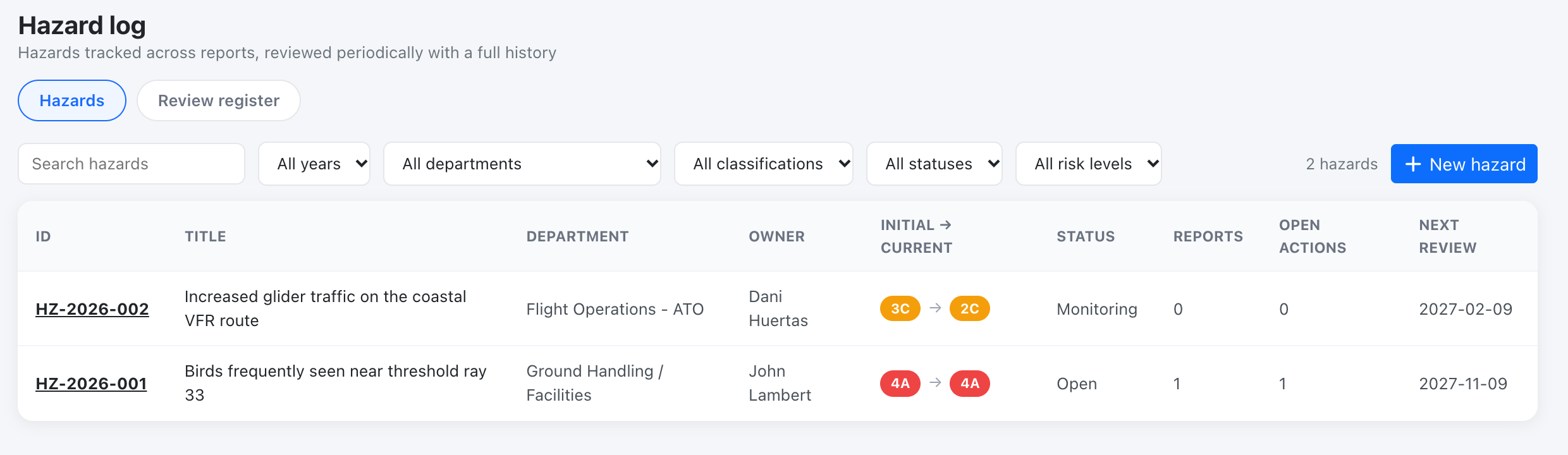
The hazard list
Section titled “The hazard list”Columns: ID (HZ-YYYY-NNN, numbered per company), title, department, owner, initial to current risk, status, number of linked reports, open actions, and next review (shown red when overdue). Filter by year (created or reviewed in that year), department, classification, status and risk level, or search by ID or title.
Statuses: Open, Mitigated, Monitoring, Closed. A closed hazard cannot be linked to new reports and is excluded from Unmitigated risks.
Hazards linked to audit findings
Section titled “Hazards linked to audit findings”Hazards are also how the causes of non-compliance found in audits reach your risk management. From an audit finding a manager can:
- create a hazard prefilled from the finding (title, details and root cause, and the department of the finding’s audit area). It is added to the log as a manual hazard and linked to the finding;
- link an existing open hazard to the finding. A hazard can be linked to many findings and a finding to many hazards;
- flag an existing risk control as not effective, with a note naming the control, and request a reassessment: the hazard’s next review becomes due today, so it shows as due in the list and counts as an untracked risk on the Safety Assurance dashboard until you record a review, and the hazard owner is notified.
A hazard is also what keeps an accepted authority variation or alternative means under review: it must be linked to the finding and its next review must fall on or before the decision’s review or expiry date. While it covers an accepted decision, the hazard cannot be unlinked from that finding. Closed hazards cannot be linked to findings or reassessed (reopen them first).
The hazard view returns the findings linked to it (number, title and status), see the API. Mapping an audit area to the hazard’s department also means a high-risk hazard in that department makes the area’s suggested audit frequency more frequent.
Two ways to create a hazard
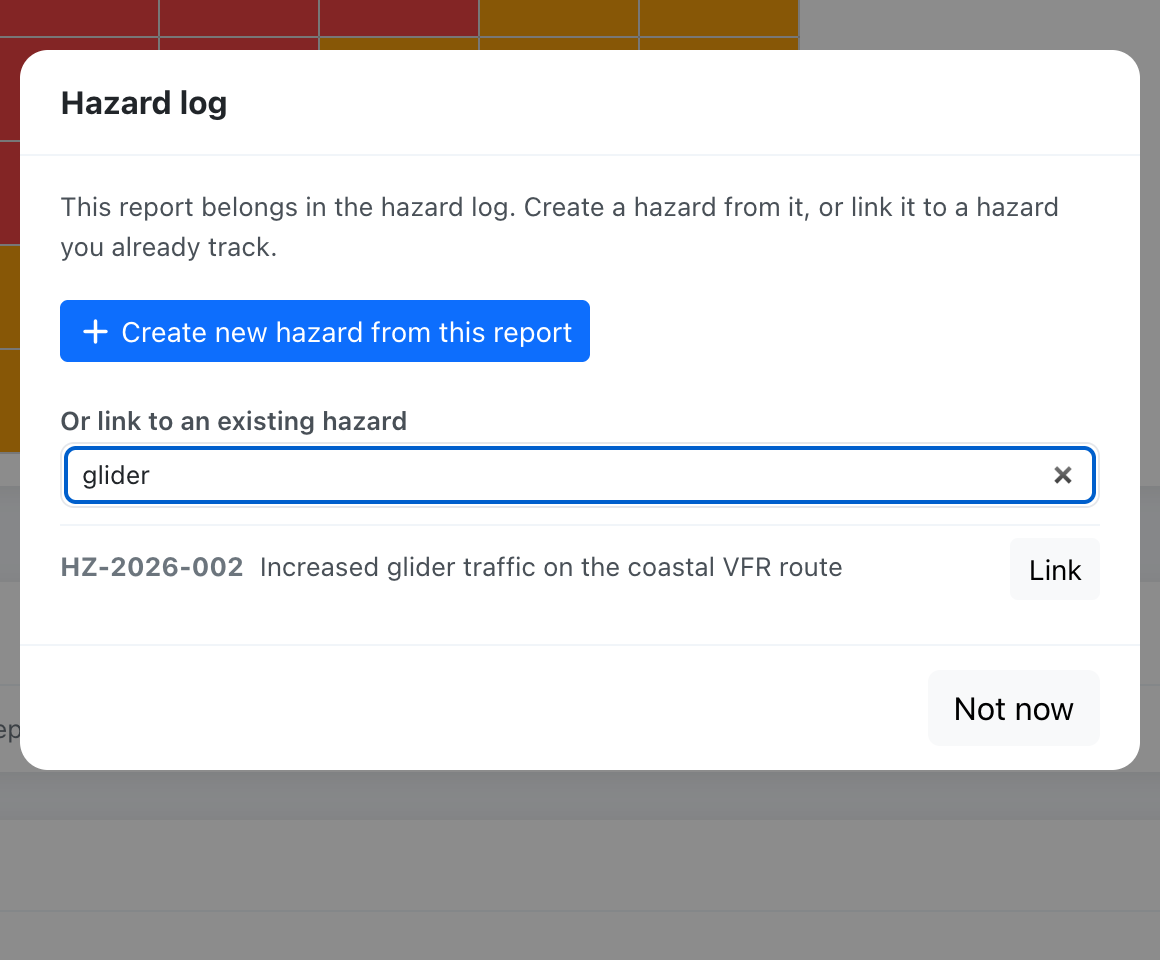
Section titled “Two ways to create a hazard”- From a report. When a manager or the report’s reviewer sets the reviewer outcome to risk register and saves, Flylogs offers Create new hazard from this report (title, description, department, classification and initial risk are prefilled) or Link to an existing hazard. The same options are always available from the report’s manage actions (Create / link hazard). A report can be linked to more than one hazard, and the report view lists its linked hazards.
- Manually, with New hazard: for hazards that did not come from a report, such as a new route, aircraft type, base or season.
The hazard page
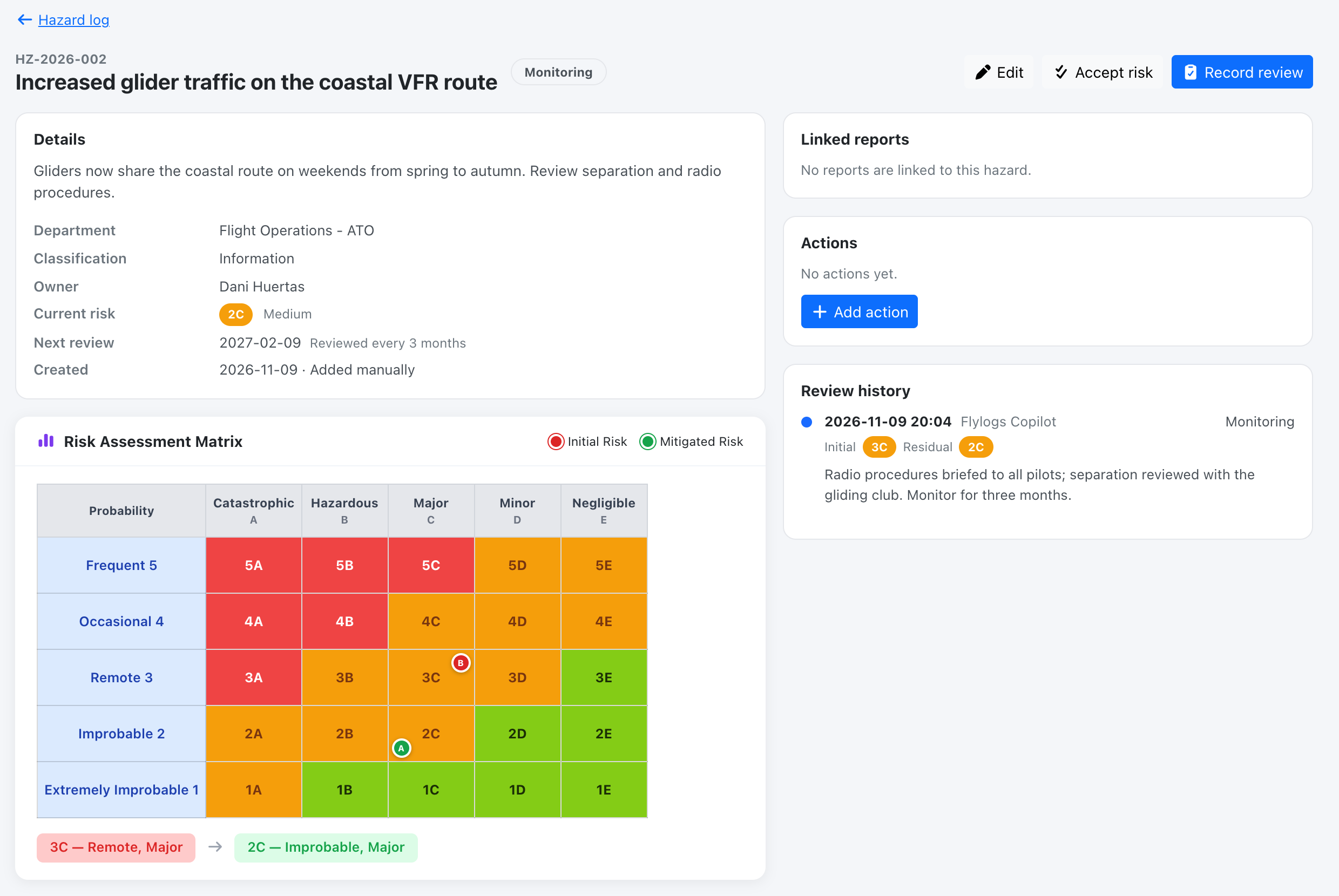
Section titled “The hazard page”Details and a mini risk matrix (initial and residual), the linked reports, the safety actions with an Add action button, and the review history.
Reviews
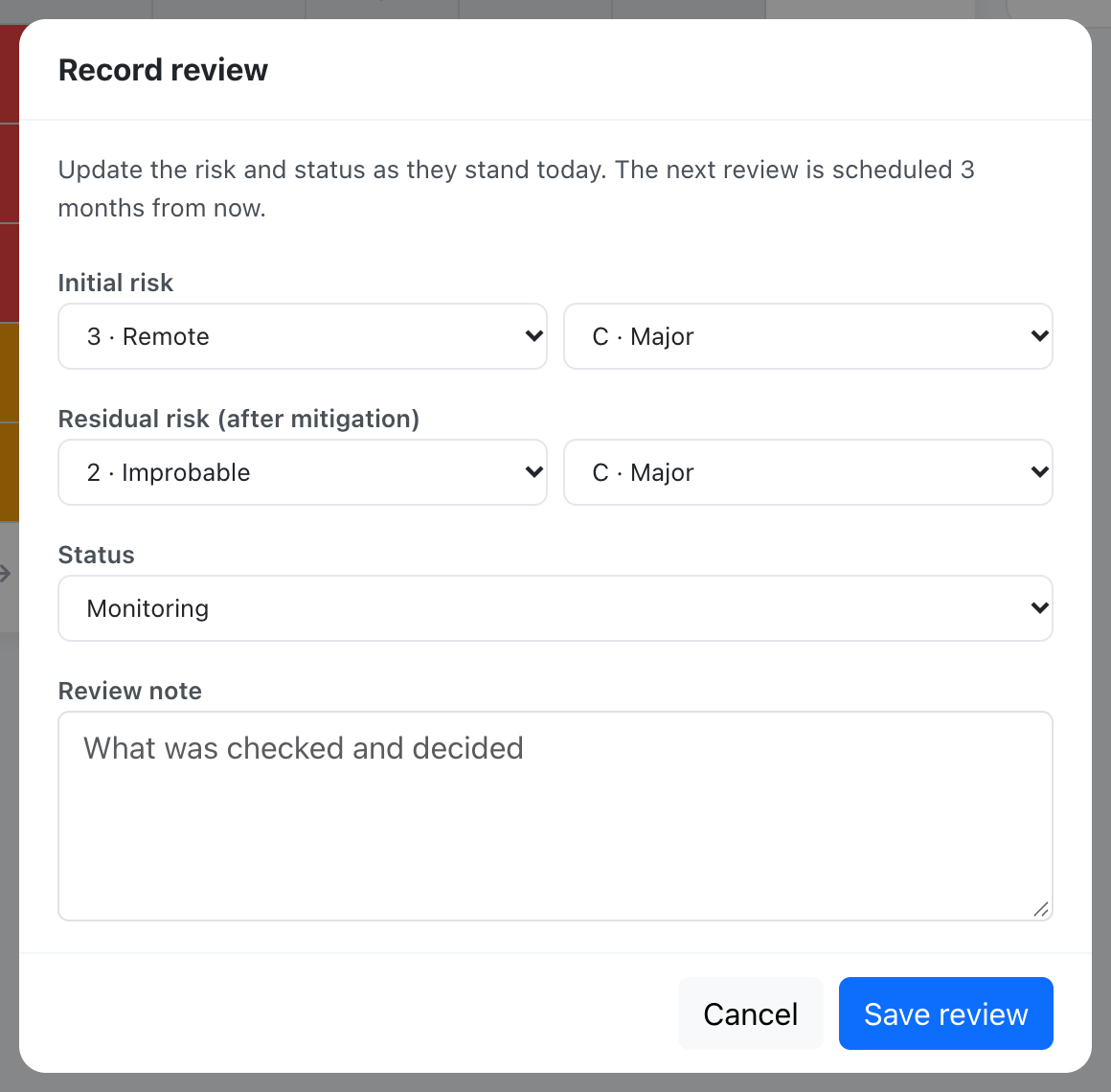
Section titled “Reviews”Managers use Record review to update the risk and status as they stand today and add a note. Each review is stored permanently with a snapshot of the risk values, the status, who reviewed it and when. The next review date is then set to the review date plus the hazard’s review interval (1, 3, 6 or 12 months, 12 by default). Changing the interval re-schedules the next review from the last review.
A hazard whose next review date has passed counts as an untracked risk on the Safety Assurance dashboard.
Risk acceptance
Section titled “Risk acceptance”A hazard in the medium (tolerable) band can have a risk acceptance recorded by a manager, with a rationale. The hazard page shows who accepted the risk, when, and the rationale. Editing any of its four risk values afterwards clears the acceptance. High-band risk cannot be accepted. See ICAO risk matrix (Doc 9859).
See Safety Assurance API.