

New: Sunrise and sunset operating hours
October 2026 · Company settings & Schedules
Operating hours no longer have to be a clock time. Each opening or closing time can now be Sunrise or Sunset, so a field that flies in daylight keeps the right hours all year without anyone editing them.
Why we built it
Section titled “Why we built it”Many operations are limited by daylight rather than by the clock. A fixed 08:00–18:00 is wrong for half the year: too early to fly in winter, too early to close in summer. Until now the only fix was to change the hours by hand every few weeks.
How it works
Section titled “How it works”Open Company Settings → Schedule → Operating Hours. Every opening and closing time is a drop-down: pick a clock time, Sunrise or Sunset. You can mix them, for example 08:00 to Sunset.
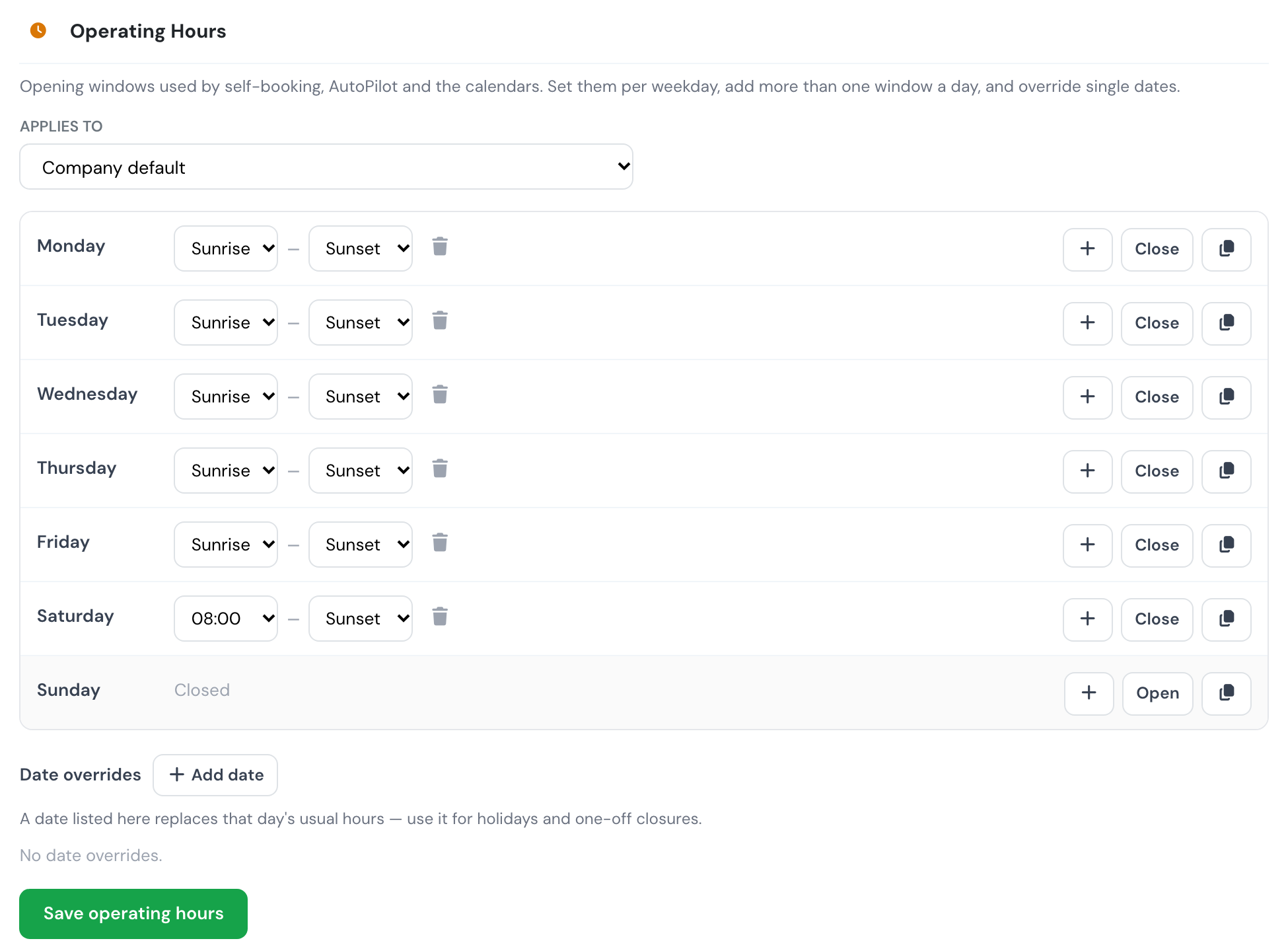
Monday to Friday follow the daylight, Saturday opens at 08:00 and closes at Sunset, and Sunday is closed.
- Local to the base. Sunrise and sunset are worked out for the airport of the base the hours apply to, and shown in your company timezone. A company with several bases gets the right times for each one.
- Civil twilight. Sunrise is the start of civil twilight and sunset is its end (the sun 6° below the horizon).
- One value per week. The times of the Monday are used for the whole week, so a window does not shift from one day to the next.
- Safe by default. If the base has no airport set, or the sun never reaches that angle (polar day or night), the window stays open all day rather than closing your operation. The editor warns you when a base has no airport position.
- No impossible combinations. Flylogs will not save hours that would, at any time of the next year, close a window before it opens or make two windows overlap. The editor tells you the day and week where it breaks.
Where you’ll see it
Section titled “Where you’ll see it”- Self-booking. Only slots inside the daylight window are offered, and a booking outside it is refused.
- Schedule Manager. A booking outside the window shows a warning, using the local sunrise and sunset of the base. Managers can still book outside operating hours on purpose.
- AutoPilot and the calendars. Missions are only placed inside the window, and the calendars are drawn to it.
See Company Settings → Schedule for the full reference and Company API → Operating hours for the SUNRISE/SUNSET fields.