

New: bank details on every bill
November 2026 · Billing
Customers who pay by bank transfer can now find your bank details on the bill itself. Add them once in Company → Settings → Billing → Bill notes and Flylogs prints them on every bill.
Write it once
Section titled “Write it once”Bill notes is a free-text field under the billing defaults. Put whatever your customers need to pay you: account holder, IBAN, BIC, payment deadline, and what to use as the transfer reference. Line breaks are kept.
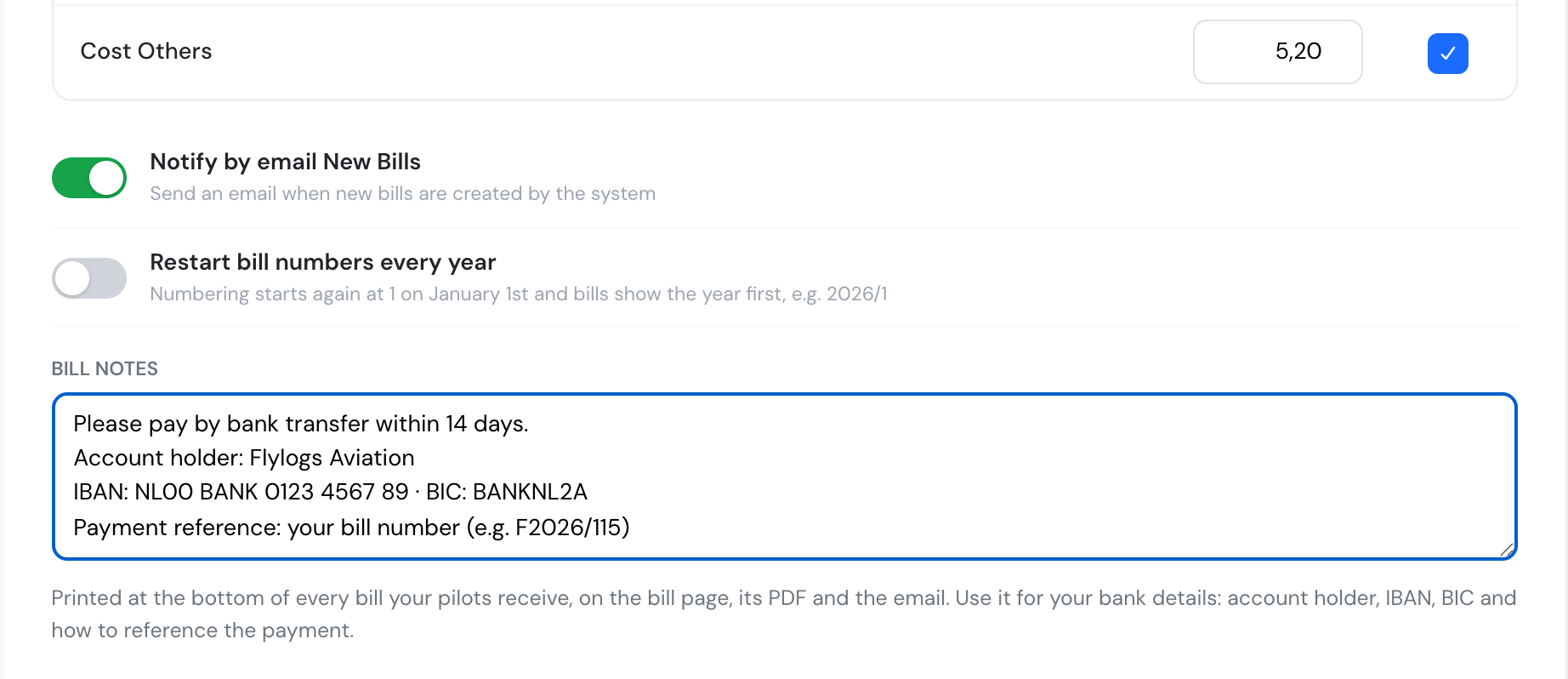
Bill notes in the billing settings.
On every bill, PDF and email
Section titled “On every bill, PDF and email”The text appears at the bottom of every bill page and in its PDF download. The new-bill email shows it under Payment information. It applies to bills already issued too, so a new bank account shows up everywhere straight away.
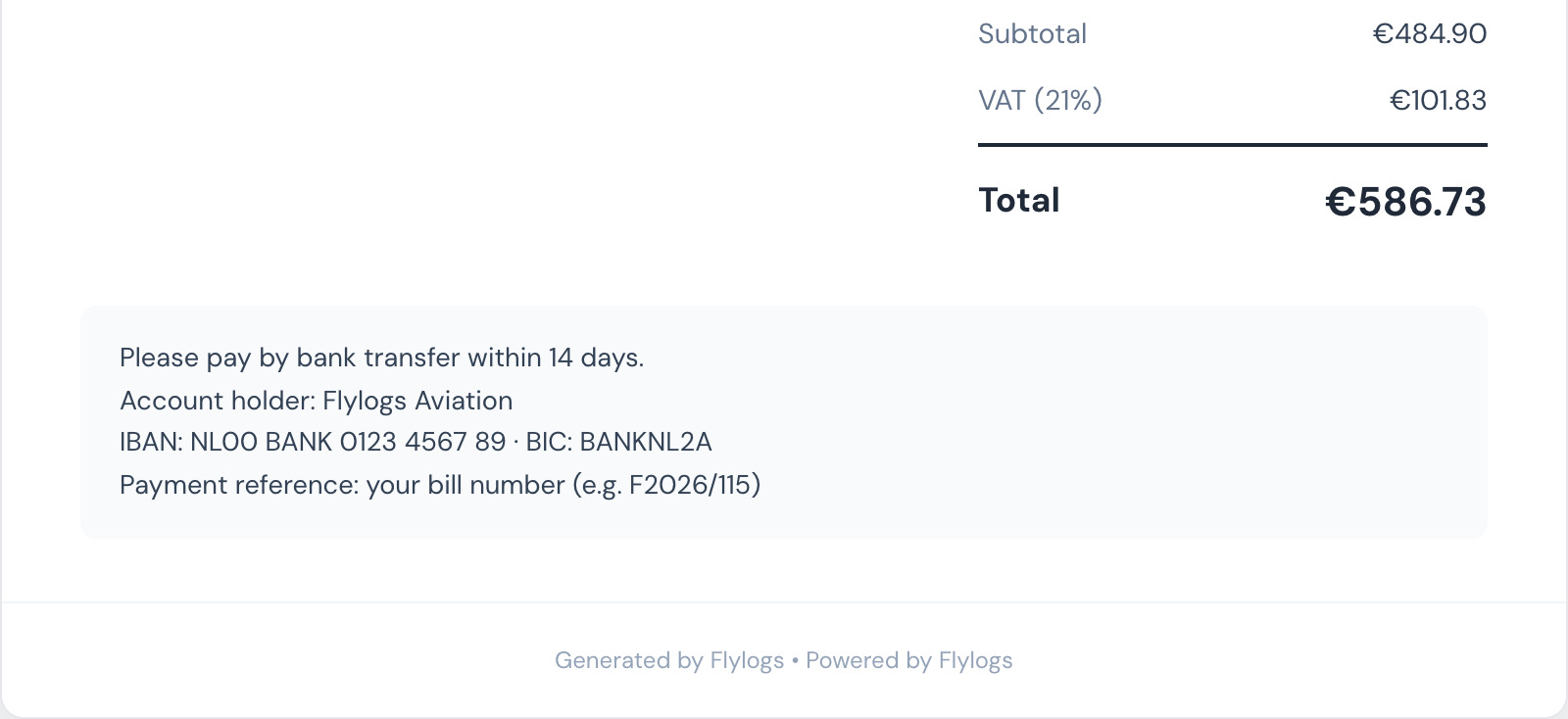
Your bank details under the bill totals.
Each bill already has its own number (for example F2026/115), which makes a good payment reference.
Only company managers can edit the notes. Pilots and clients see them on their own bills.
See Billing settings for the full reference.