

Duty and Flight time storage
Control and comply with your CAA Duty and flight time limits.
You can set the time limits that apply to your operations easily in your company settings page.
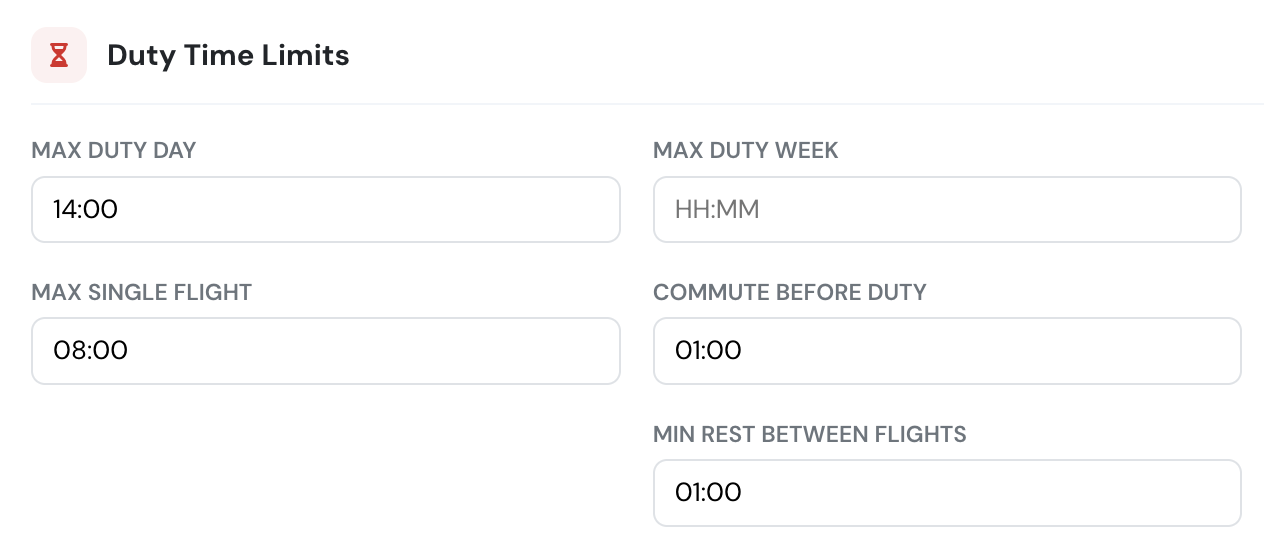
The system gives you the option to automatically block overtime proactively before the flight scheduling happens with a visual warning. So the warning happens before the flight is performed or even scheduled.
Flight duty is controlled after duty times are inserted by the pilots, or automatically calculated by the system.
Automatic duty time calculation
Section titled “Automatic duty time calculation”Flylogs can automatically calculate your crew duty times based on a few parameters you need to configure before, like before first flight, and after last flight mandatory times.
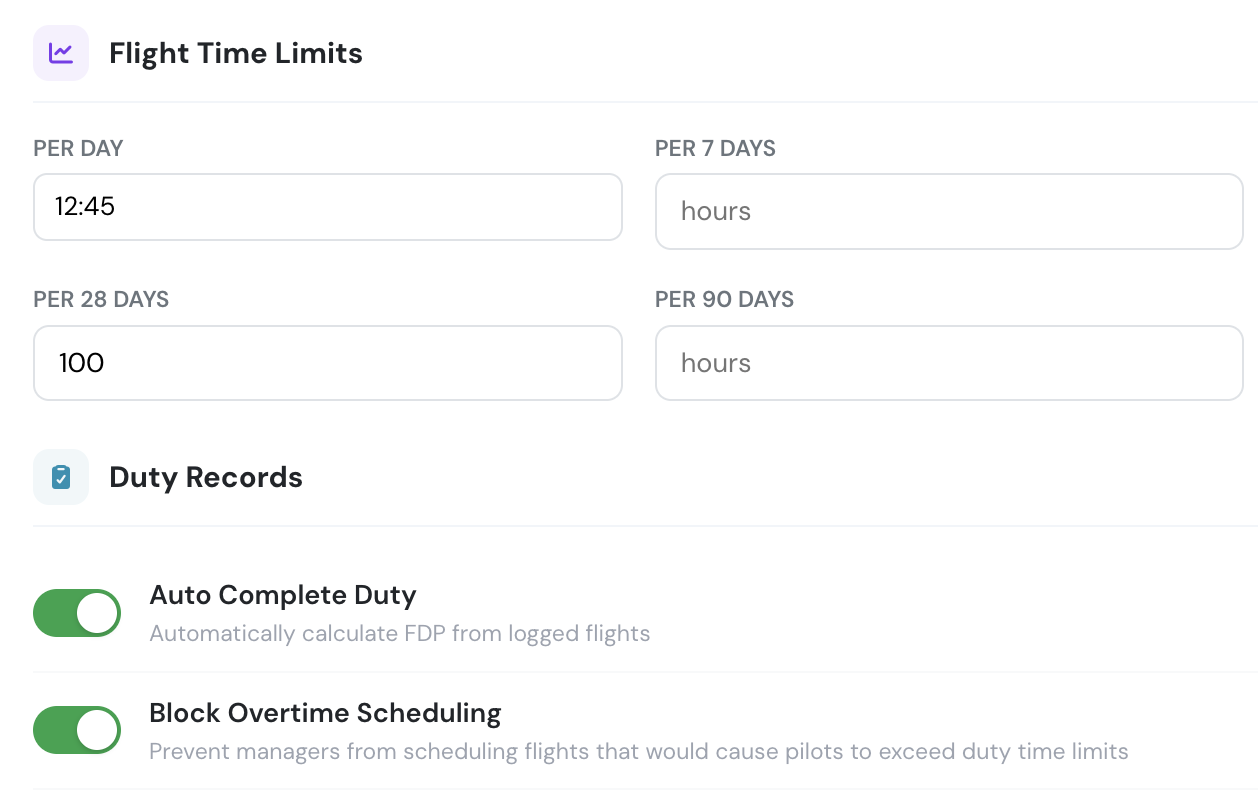
If the system is set for automatic calculation, our automatic task will check daily for the previous day flights and calculate each pilot´s duty time based on database records and the company configured settings before and after mandatory times.
Which flights count toward a pilot’s duty
Section titled “Which flights count toward a pilot’s duty”Every flight the pilot is on the crew of counts — all three seats, CM1, CM2 and the third seat (shown as Supervisor, Examiner or Specialist depending on your company type). The duty period is stretched to cover the earliest departure and the latest arrival among them, plus the commute times.
This is independent of the flight type’s time classification: a seat set to log no hours still produces duty. An instructor who supervises a student’s solo flight from the ground gets the duty for it and none of the flight time.
The exception is Flight Schools and SPO Operators: there, a supervision or a simulator session only counts as duty when a flight the pilot operates (CM1 or CM2 on a real aircraft) follows it the same day. One after the last operated flight — or on a day with none — widens the pilot’s work times instead of the duty period. See Supervision and simulator sessions.
Flight duty period (FDP) is counted more narrowly than duty — see FTL Compliance & Forecast.
Duty, flight period and work
Section titled “Duty, flight period and work”The Duty Times page can show three different measures. This is what each one includes:
| Duty | Flight period | Work | |
|---|---|---|---|
| Flight the pilot operates (CM1/CM2, real aircraft) | Yes | Yes | Only if the work times cover it (for Flight Schools and SPO Operators an automatically widened work window starts at the duty start, so it does) |
| Supervising a real flight, before or between operated flights | Yes | No | Not added automatically |
| Supervising a real flight, after the last operated flight | AOC / General Aviation: yes · Flight School / SPO: no | No | AOC / General Aviation: no · Flight School / SPO: yes, automatically |
| Simulator session (any seat), before or between operated flights | Yes | No | Not added automatically |
| Simulator session (any seat), after the last operated flight | AOC / General Aviation: yes · Flight School / SPO: no | No | AOC / General Aviation: no · Flight School / SPO: yes, automatically |
| Day with only simulator and/or supervision sessions | AOC / General Aviation: yes · Flight School / SPO: no duty | No | AOC / General Aviation: no · Flight School / SPO: yes, automatically |
| Commute before / after duty | Yes, both | No | No |
| Who sets it | Calculated from flights; pilots may edit it if the company allows | Calculated | The pilot, when Require duty records is on; Flight Schools and SPO Operators also get the automatic additions above |
| Checked against | Max duty per day and the weekly limit (red cells, Duty time exceeded message) | Nothing | Nothing on its own; with FTL compliance on it counts towards the 7- and 28-day cumulative duty |
- Duty runs from the first counted session (less the commute before) to the last counted session (plus the commute after).
- Flight period runs from the first off-blocks to the last on-blocks of the flights the pilot operated.
- Work runs from the start to the end the pilot entered. Automatic additions only ever widen it, so times entered by hand are kept.
- The FDP (FTL compliance, shown as FDP (FTL) when enabled) runs from the duty start — including the commute before and any simulator or supervision session before the first flight — to the last on-blocks of an operated flight. See FTL Compliance & Forecast.
The pilots can have the option to enter/modify these times if the company allows them to do so.
In that case, the pilot will see this panel in his/her welcome and profile pages:
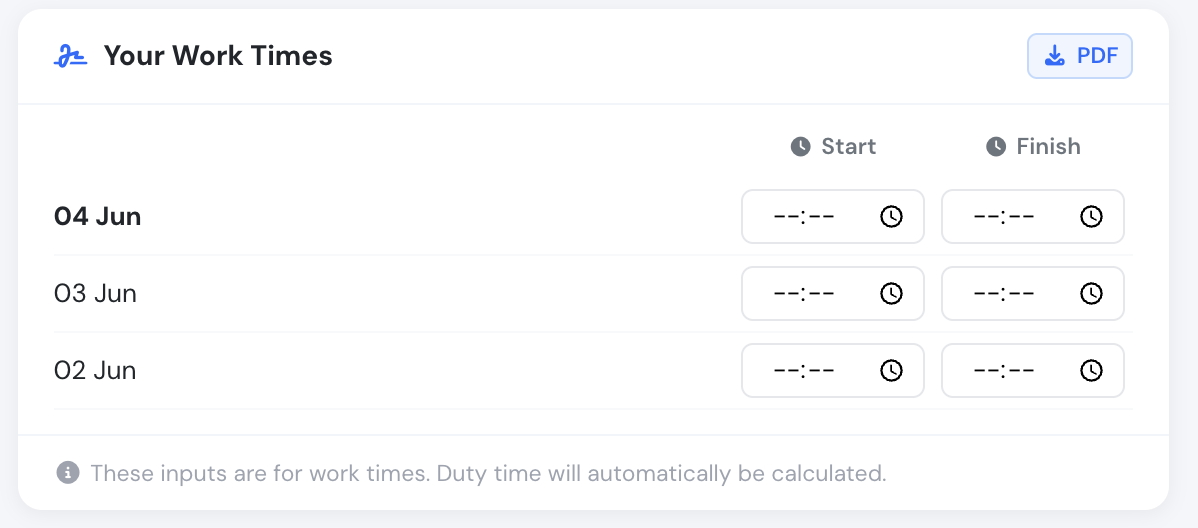
Pilots can enter up to X amount of days the duty times, this X is something you configure as company manager.
Pilot notifications
Section titled “Pilot notifications”If Flylogs automatically calculates the duty time, we notify the pilot with a message like the one below:
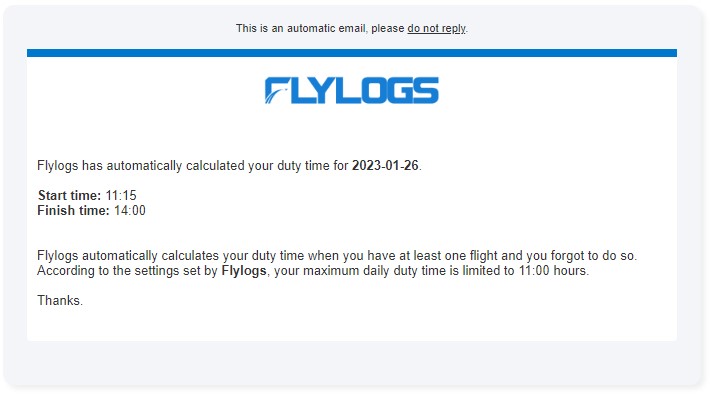
Duty Time reports
Section titled “Duty Time reports”Company manages can access the pilot duty time reports in Pilots > Duty times
This report contains a list of all pilots with a filter, and another axis with all days of the selected month.
If any record is over the configured MAX DUTY TIME, the time will appear highlighted in red. This also applies to duty periods that cross midnight (e.g. a duty starting in the evening and ending after 00:00 the next day) — the full duty length is counted against the day the duty started.
Each pilot row has a download icon that generates a PDF version of the same report for that pilot and month. The PDF’s duty time column is highlighted in red under the same rule as the overview.
The Block Time column, the Top Pilots by Block Time chart and the monthly flight time warning add up the block time of the flights the pilot operated in the month — as CM1 or CM2 (PIC or SIC), on real aircraft. Simulator sessions and flights the pilot only supervised are left out, even when the flight type credits the supervisor with time in the logbook: supervision is duty, not flight time. The same total appears as Block time at the bottom of the pilot’s PDF.
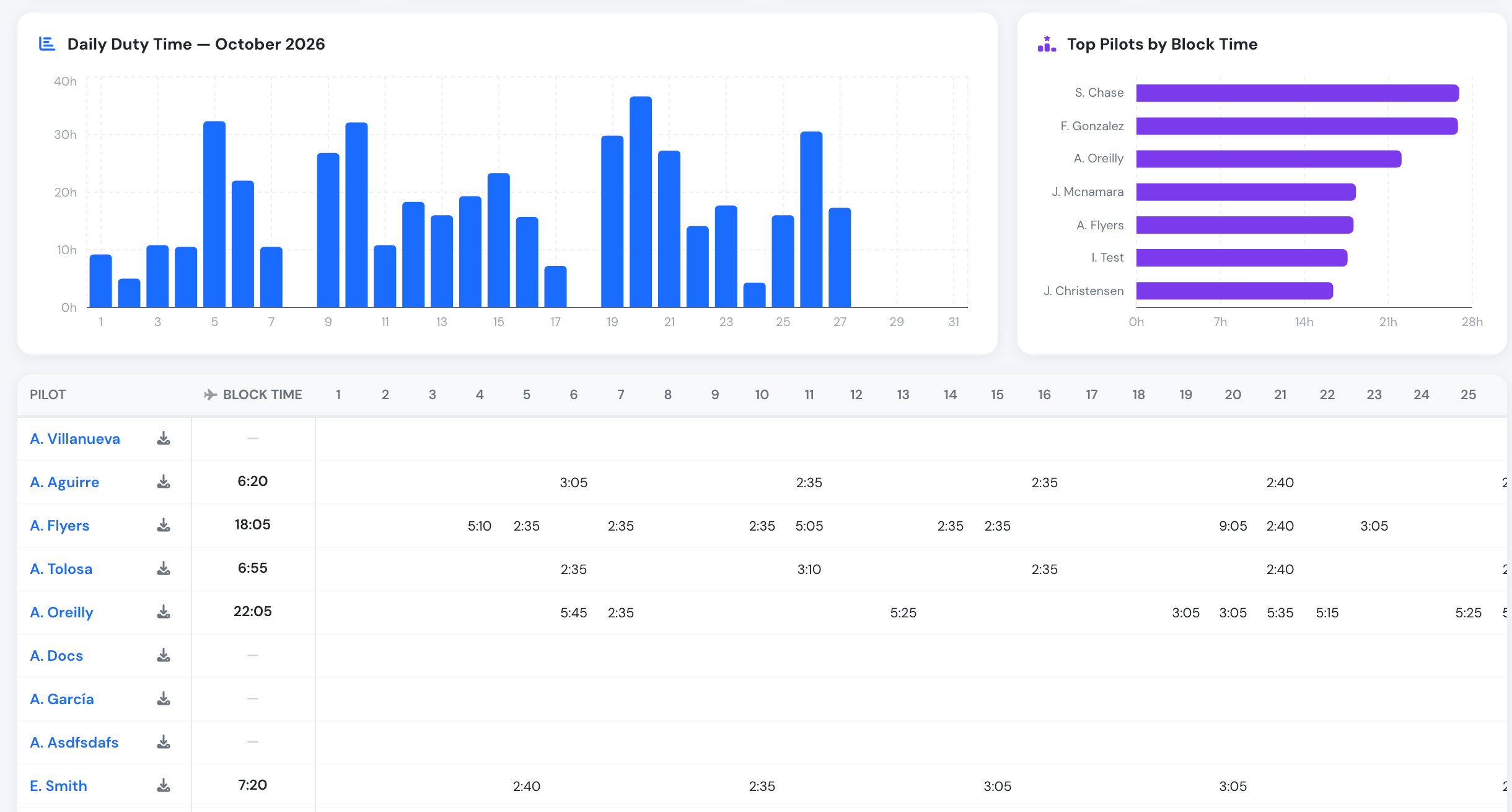
The Block Time column and the Top Pilots by Block Time chart count only the flights each pilot operated.
Block time, flight period and duty measure different things, so their monthly totals differ:
- Block time — the sum of each operated flight’s block time.
- Flight period — first off-blocks to last on-blocks of each day, so it also includes the time on the ground between two flights of the same day.
- Duty — the flight period plus the commute times, plus any supervision or simulator session that counts as duty (see the table above). A day with only supervised flights can show duty and no block time.
Duty & FTL limits per crew member
Section titled “Duty & FTL limits per crew member”With FTL Compliance active, every crew member can open Duty & FTL limits from the Duty & Rest widget on their profile: cumulative duty and flight time, FDP, rest and weekly rest on any day, with the roster ahead. Managers open it for any crew member. See Duty & FTL limits.