

API Keys
API keys are a long-lived, revocable alternative to the session-token login flow, intended for third-party server-to-server integrations. Instead of logging in with an email and password to obtain a session token (which expires after 14 days), an integration sends a single static key on every request.
A key is bound to a user in your company and authenticates as that user — it inherits exactly that user’s permissions (user group / ACL). Choose the bound user carefully; give integrations a dedicated, least-privilege user where possible.
Using a key
Section titled “Using a key”Send the key as a Bearer token, exactly like a session token. API keys are prefixed with flk_:
Authorization: Bearer flk_3pQ8...Zrcurl https://fmc.flylogs.com/v1/flights.json \ -H "Authorization: Bearer flk_3pQ8...Zr"Keys do not expire on inactivity and are not affected by logout. A key stops working only when it is revoked or, if an expiry date was set, after that date passes.
Managing keys
Section titled “Managing keys”API keys are created and revoked by a company administrator in the Flylogs app, under Company Settings → API → API keys. They are not managed with an API key itself — management requires an interactive admin session.
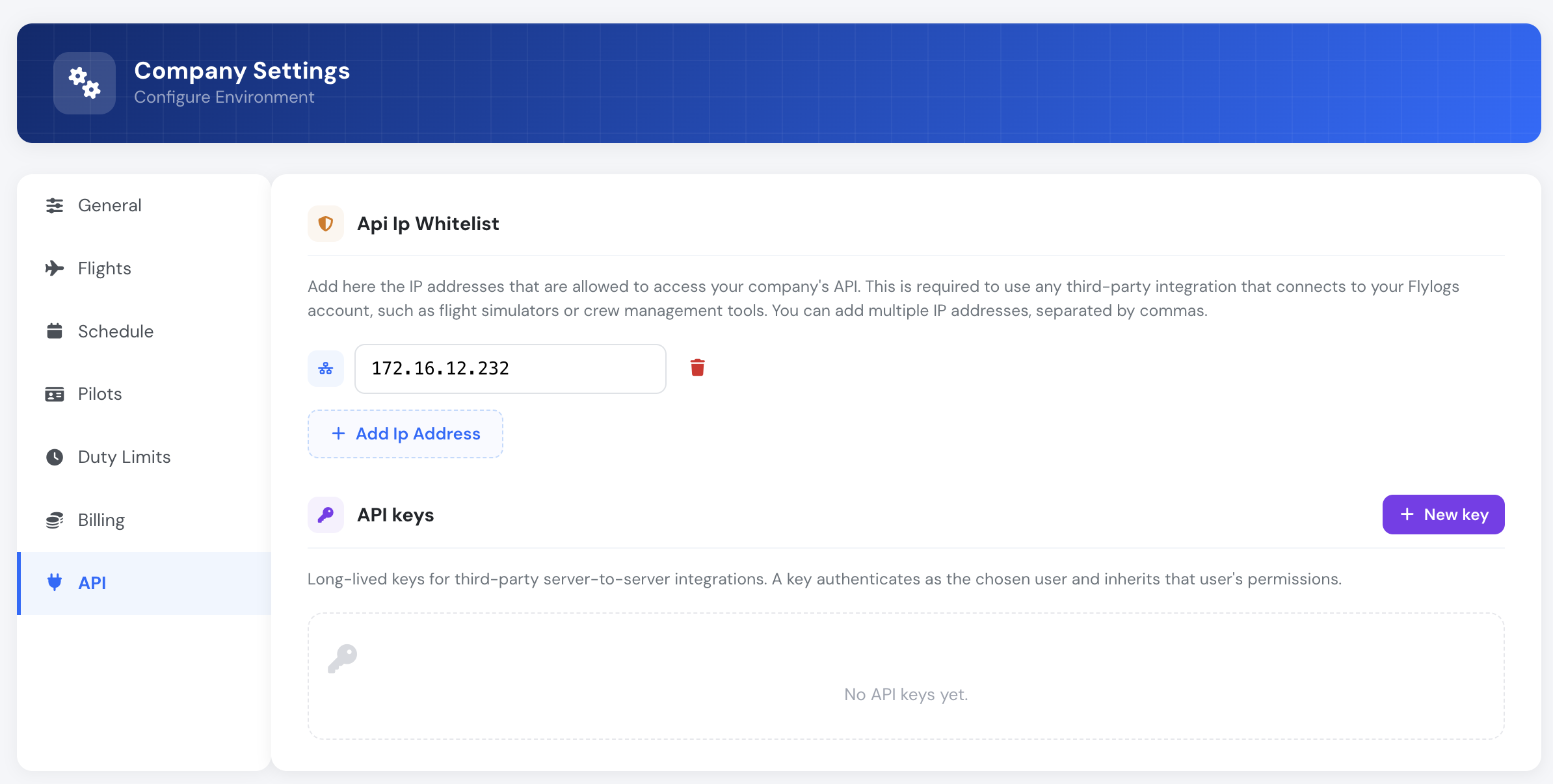
The management endpoints below sit under the manager routing prefix and are used by the app; they are documented here for completeness.
List keys
Section titled “List keys”GET /manager/api_keys.json
Returns the company’s keys. The secret itself is never returned — only a short, non-secret key_prefix for identification.
Response
Section titled “Response”{ "keys": [ { "ApiKey": { "id": "8f1c...", "user_id": 1234, "name": "Ops dashboard", "key_prefix": "flk_3pQ8", "last_used_at": 1718450000, "expires": null, "revoked": false, "created": 1718000000 }, "User": { "id": 1234, "email": "integration@example.com" } } ]}Create a key
Section titled “Create a key”POST /manager/api_keys/add.json
Issues a new key. The plaintext key is returned once, in this response only, and cannot be recovered afterwards. Store it immediately.
Request Body
Section titled “Request Body”| Field | Type | Required | Description |
|---|---|---|---|
| name | string | Yes | Human label for the integration (e.g. "Zapier") |
| user_id | number | Yes | A user in your company the key will authenticate as |
| expires | number | No | Unix timestamp after which the key is rejected. Omit for a key that never expires |
Response
Section titled “Response”{ "result": true, "message": "Store this key now — it will not be shown again.", "key": { "id": "8f1c...", "name": "Ops dashboard", "user_id": 1234, "key_prefix": "flk_3pQ8", "expires": null, "plaintext": "flk_3pQ8XnX...full-secret...Zr" }}Example
Section titled “Example”curl -X POST https://fmc.flylogs.com/v1/manager/api_keys/add.json \ -H "Authorization: Bearer <admin-token>" \ -H "Content-Type: application/json" \ -d '{"name": "Ops dashboard", "user_id": 1234}'Revoke a key
Section titled “Revoke a key”POST /manager/api_keys/revoke/{id}.json
Permanently disables a key. Revocation is immediate and irreversible; the key is retained for audit but is rejected on every subsequent request.
Path Parameters
Section titled “Path Parameters”| Parameter | Type | Description |
|---|---|---|
| id | string | The key’s id (not the secret) |
Response
Section titled “Response”{ "result": true, "message": "API key revoked" }Access control
Section titled “Access control”| Capability | Who |
|---|---|
| Create / list / revoke API keys | Company Administrators & Operations Managers (user group ≤ 110) |
| What a key can do once issued | Whatever the bound user’s user group permits |
A key can only be bound to a user in the same company as the administrator creating it. Cross-company keys are rejected.
API keys vs. session tokens
Section titled “API keys vs. session tokens”| API key | Session token | |
|---|---|---|
| Obtained by | Admin issues it in API key management | POST /login with email + password |
| Lifetime | Until revoked (optional expiry) | 14 days / until logout |
| Identity | Bound user | Logged-in user |
| Best for | Unattended server-to-server integrations | Interactive clients (e.g. the NEO app) |
| 2FA / IP allowlist | Not applicable | Applies to interactive logins |
See also: Authentication.